Odoo and AI: Connecting Odoo to a local AI (LLM, Ollama)
Odoo now integrates AI: assistants, agents, and automated actions. However, by default, these features rely on cloud-hosted models paid on a per-usage basis. Connecting Odoo to a local AI keeps your data in-house and eliminates per-request billing, provided you choose the right method and hardware.
AI in Odoo today
Since version 19, Odoo has offered an AI application built around three pillars:
Ask AI
Summarizes exchanges, translates, drafts follow-ups, and suggests next steps.
AI Agents
Combine topics, tools, and data sources, with a model chosen for each agent.
AI Server Actions
Allow the AI to choose which action to trigger in a workflow.
These features natively rely on OpenAI (ChatGPT) and Google (Gemini). On Odoo.sh or on-premise hosting, you enter your own API keys and usage is billed by the provider. Data sent to the model (exchanges, document snippets, client info) is therefore sent to their servers.
Added to this are paid per-document services, such as invoice scanning, billed in credits. We calculated this cost in our article on local supplier invoice OCR.
The advantagesWhy connect Odoo to a local AI?
Your data stays with you
Accounting, HR, clients: the ERP contains the company's most sensitive data. With a model on your server, it doesn't leave for an external service.
Predictable costs
You pay for the machine once, not for every request. An AI agent triggers many model calls: this is where usage-based billing becomes unpredictable.
A relieved Odoo server
Heavy processing (thousands of documents, massive entry imports) runs on a dedicated machine that only returns the result. Other users are no longer slowed down.
Choice of model
You use open-source models adapted to each use case, and change them whenever you wish.
3 ways to connect Odoo to a local LLM
In any case, the principle remains the same: Odoo sends a request, the model installed on your premises processes it, and the result returns to Odoo.
Invoice, email, order, or user request.
The local model reads, classifies, summarizes, or extracts.
Entry created, field filled, draft ready.
A module adding a local provider
Odoo App Store modules add self-hosted models via Ollama or LocalAI to the AI application, such as AI Model Providers.
- Native AI functions use your model
- Often restricted to Odoo Enterprise
A gateway via Odoo API
A Python script or an n8n workflow reads data in Odoo, has it processed by the local model (Ollama, vLLM, compatible with OpenAI API), then returns the result.
- The most flexible, regardless of edition
- Ideal for heavy or business-specific processing
AI agents controlling Odoo
An external agent receives limited access to Odoo (e.g., via an MCP server) to consult orders, prepare a quote, or chase an unpaid invoice.
- Automates complex, full tasks
- Access rights must be defined strictly
Which machine for local Odoo AI?
The key criterion is Graphics Card Memory (VRAM): the larger it is, the larger the models can be, and the more users or agents the machine can handle in parallel.
| Your need | AI Memory | Our machine |
|---|---|---|
| OCR, summaries, small agents | 16 GB | CoreIA 32 |
| Agents reasoning on your data | 32 GB | CoreIA 64 |
| Very large models, development | 128 GB shared | Mini server GB10 |
| Multiple teams or clients | 64 GB and up | Multi-GPU rack servers |

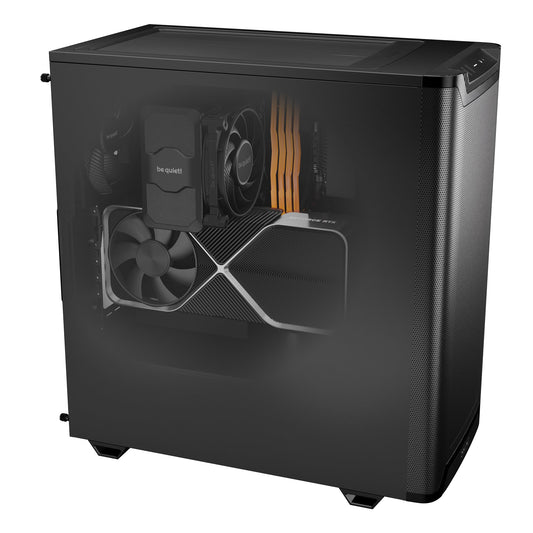
Radiance PC CoreIA 32
OCR, summaries, small agents, and heavy processing moved off the Odoo server.
- Graphics cardRTX 5070 Ti
- VRAM16 GB
- ProcessorRyzen 9 9900X
Radiance PC CoreIA 64
Larger, more reliable models for agents working on your data.
- Graphics cardRTX 5090
- VRAM32 GB
- FormatWorkstation

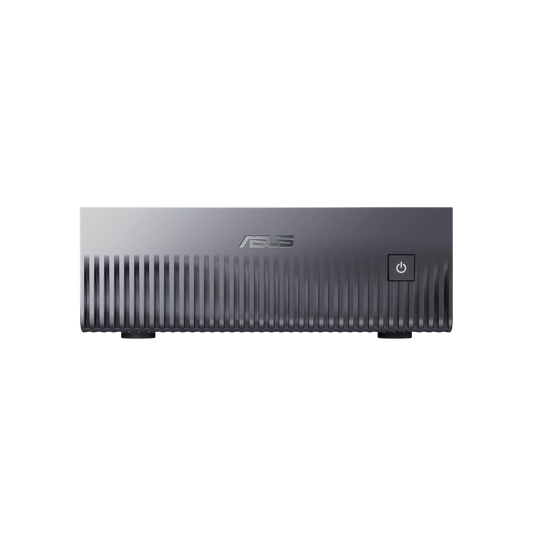
AI Mini Server GB10
Loads very large models in a compact format. Slower than a dedicated card: ideal for developing and testing your agents.
- PlatformNVIDIA GB10
- Memory128 GB shared
- FormatMini PC

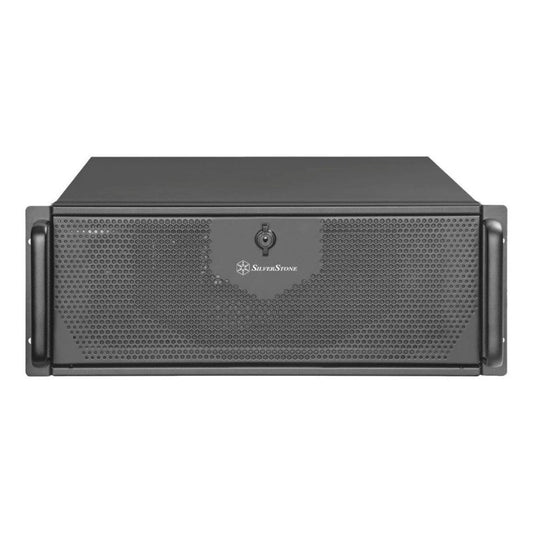
Radiance PC CoreIA 128 Dual 5090
A rack-mount AI server, shared by several teams or companies.
- Graphics cards2 × RTX 5090
- VRAM64 GB
- FormatRack
Radiance PC Pro IA Ultra Threadripper
The most scalable platform: AI for many clients on a single infrastructure.
- ProcessorAMD Threadripper
- Graphics cardsUp to 4 and more
- UsageMulti-client
Assembled and tested in France. Base configuration components are all customizable in the configurator. A 2nd or 3rd graphics card can be added directly online; from 4 onwards, upon request.
For partnersOdoo integrators: offering local AI to your clients
For an Odoo partner, the cost of credits multiplies by the number of clients. If each scans 100 invoices per day:
in OCR credits for one client
at the scale of your portfolio
Offering local OCR and AI agents becomes a sales argument and a service you can bill for. Two models are possible:
A station at each client
Each client's data remains on their own premises. One station per site, sized according to their volume.
A central AI server
You host a multi-GPU server that serves multiple clients, sharing the power.
We provide hardware prepared for AI, with support that knows the models, drivers, and software, not just the components. We can also develop business-specific automations with you.
FAQFrequently Asked Questions
Can a local AI be used with Odoo Community?
Modules that add providers to the AI application often require Odoo Enterprise. Regardless of the edition, the gateway via API remains possible: the local model processes the data and returns the result to Odoo.
Is a local model as powerful as ChatGPT?
Very large cloud models remain more versatile. For specific tasks (reading an invoice, classifying a request, summarizing an exchange, extracting fields), a well-chosen open-source model yields excellent results. The more VRAM the machine has, the larger the models that can be used.
Do I need a rack server or a workstation?
For a single company, a station placed on-site is often enough. For an integrator serving multiple clients, a rack server installed in a bay is more appropriate.
Is local AI accessible remotely?
Yes. With the Turnkey AI Pack, the machine is delivered with secure remote access via VPN, usable locally and on the company network.
Let's talk about your Odoo project
As an Odoo integrator or user, do you want to move some AI out of the cloud? In 20 minutes, we will review your use cases and the right machine for you. We will call you.
Sources: Odoo 19 AI features and providers · AI Model Providers module · Odoo scanning rates