Go to product information
1 of 3

Radiance PC CoreIA 64 RTX 5090

Radiance PC CoreIA 64 RTX 5090

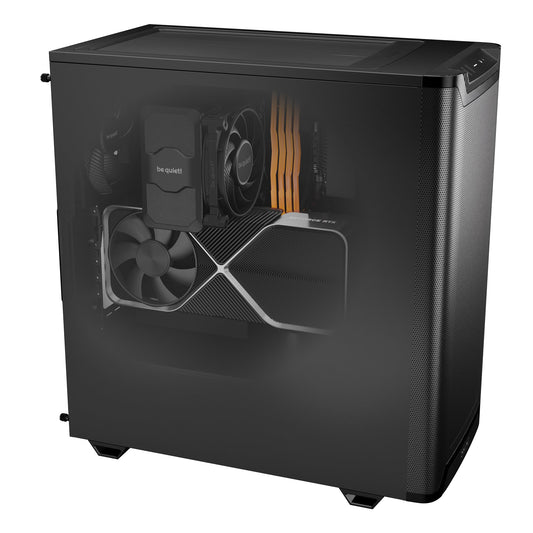
The Radiance PC CoreIA 64 RTX 5090 is a high-end workstation designed for demanding professional workloads, whether it's local artificial intelligence, content creation, 3D modeling, advanced video editing, or intensive computing.

It is powered by an AMD Ryzen 9 9950X3D, offering excellent multi-core computing performance and great responsiveness in multitasking, combined with an NVIDIA GeForce RTX 5090 32GB, perfectly suited for heavy GPU loads: advanced AI, 3D rendering, video processing, simulation, and accelerated computing.

With 64GB of DDR5 memory and fast NVMe storage, the CoreAI 64 ensures constant fluidity, even when simultaneously running complex projects, professional tools, and intensive pipelines. Its modern AM5 platform and 1200W power supply ensure stability, scalability, and longevity.

Designed by Radiance Systems, this model is fully configurable to precisely adapt to your current and future needs.

Set up your Workstation

All options are compatible and will be assembled on your PC so that it is delivered ready to use. Need help? A guide to the options is available below. Would you like more options not available on the site? Contact us for a quote.

Software & AI

OptionalEdit
Your Workstation Components Already selected and compatibility-verified — click a line to edit.
1

Case

RequiredEdit
2

Processor

RequiredEdit
3

CPU Cooling

RequiredEdit
4

Motherboard

RequiredEdit
5

RAM

RequiredEdit
6

Graphics card

RequiredEdit
7

Graphics card (2)

OptionalEdit
8

Graphics card (3)

OptionalEdit
9

M.2 NVMe SSD (1)

RequiredEdit
10

M.2 NVMe SSD (Secondary)

OptionalEdit
11

Additional Disk/SSD

OptionalEdit
12

Power supply unit

RequiredEdit
13

Operating system

RequiredEdit

Warranty

OptionalEdit

Screen

OptionalEdit

Mouse

OptionalEdit

Keyboard

OptionalEdit

Mouse pad

OptionalEdit
Show all details

General Information

Primary use
Running, developing, and testing AI locally, efficiently, securely, and without relying on the cloud, it is also suitable for more traditional office tasks.
Commercial Warranty
2 years vendor (or more if you add an extended warranty option)
Wi-Fi included
Only if a motherboard with integrated Wi-Fi (step 4 of the configurator) is selected.
What's included? (Extras can be added via the configurator.)
- Radiance PC CoreAI 64 RTX 5090
- Power cable
- SATA cable (if you want to add more storage later)
- Extra screws (if you want to change components later)
Dimensions
For the "be quiet! Pure Base 501 Airflow Black case - without lighting modes" [L*W*H] 450×231×449mm (without feet)
for other case sizes, see the product page for the case by pressing "i".

Connectors

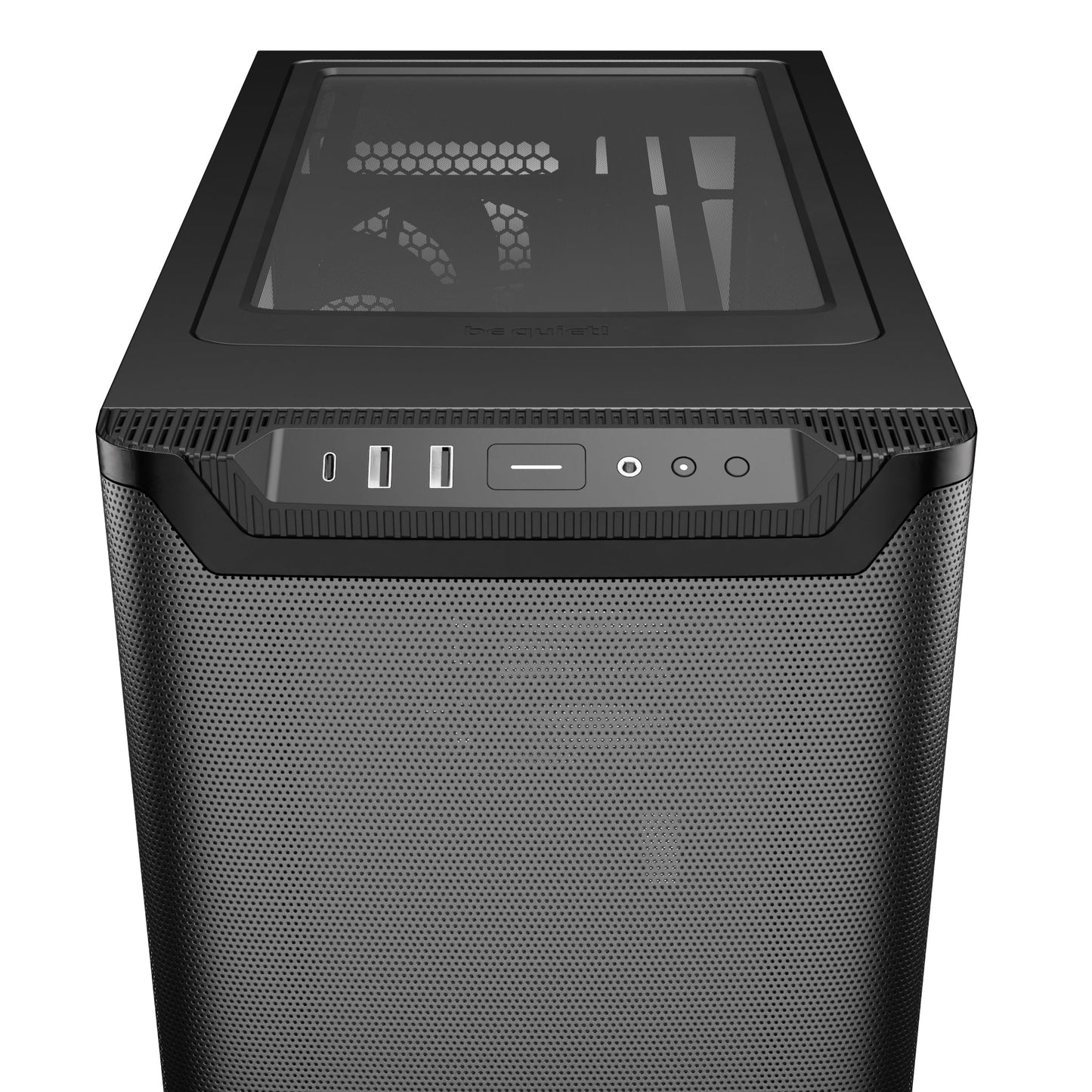
At the top of the case
Depends on the choice of case, see above in the product sheet by pressing "i".
Rear ports (may vary slightly depending on the motherboard selected)
1 Ethernet port
2 x USB-A 2.0
3 x USB-A 3.0
1 x USB-C
Video outputs (varies depending on graphics card choice)
1 x HDMI
3 x DisplayPort

Windows System / OS

Operating system
Windows 11 Pro
License provided
Yes

Workstation configurator: what options to choose?

By default, all our configurations are already optimized for computation and local artificial intelligence.

All available options are compatible with each other, tested, and assembled by our technicians so that your workstation is delivered ready to use.

Collapsible content

1. Case

Role: ensure efficient airflow, maintain stable temperatures over time, and protect components.

Key takeaways:

A well-ventilated case improves stability for long workloads (computation, inference, data processing) and reduces noise. More compact form factors require stricter thermal management.

The case also influences the overall aesthetics of the machine.

2. Processor

Role: Manage overall system responsiveness, multitasking, data preparation, and certain computation tasks.

Key takeaway:

The higher the number of cores, the more comfortable the system is with:

  • running multiple applications simultaneously,
  • preparing data for AI,
  • compiling, encoding, or processing CPU loads.

3. Processor Cooling

Role: maintain consistent performance over time and avoid any frequency drops related to temperature.

  • Air cooling: reliable, quiet, and durable solution.
  • Water cooling (AIO): better temperatures under continuous load and more compact integration.

Key takeaway: good cooling is essential for the prolonged loads typical of AI.

4. Motherboard

Role: Ensure the compatibility, stability, and scalability of the workstation.

Key takeaway:

More comprehensive motherboards offer:

  • more ports (USB, USB-C),
  • more SSD slots,
  • better power delivery to components,
  • often integrated Wi-Fi and Bluetooth.

This facilitates future upgrades.

5. Random Access Memory (RAM)

Role: Temporarily store data being processed and enable smooth work on large volumes of information.

Key takeaways:

  • 32 GB: Recommended baseline for local AI, development, and inference
  • 64 to 96 GB: High comfort for RAG, computer vision, and more complex projects
  • 128 to 192 GB: Suitable for heavy loads, large datasets, and advanced professional use

High memory capacity allows you to process more data simultaneously and avoid slowdowns during intensive loads.

6. Graphics card (GPU)

Role: Accelerate AI calculations (inference, generation, vision, parallel computing).

Key takeaways:

Video memory (VRAM) is crucial:

  • the higher it is, the more complex models you can run locally,
  • the GPU directly influences AI performance, much more so than the CPU in most cases.

7. M.2 NVMe SSD (main drive)

Role: host the system, applications, and ensure fast data access.

Key takeaways:

  • 1 TB is a recommended minimum,
  • 2 TB or more offer more comfort for projects, models, and datasets.

High speeds primarily improve copying and loading of large files.

8. Second M.2 SSD

Role: Add fast storage dedicated to projects, AI models, or working data.

9. Additional Disk/SSD (SATA)

Role: secondary storage.

  • SATA SSD: silent and responsive for secondary data
  • HDD: large capacity at a lower cost, but slower

10. Power Supply

Role: Provide stable and reliable power to the entire system.

Key takeaways:

The selected power supply is always sufficient for the chosen configuration.

If you are considering future upgrades (more powerful GPU, adding components), it is recommended to anticipate a power margin.

Gold certified power supplies are more efficient, quieter, and more durable.

11. Wi-Fi & Bluetooth

Role: Wireless connectivity for the network and peripherals.

Key takeaways:

A PCIe card is more stable and performs better than a USB dongle.

There's no need to add a solution if the motherboard already has these features.

12. Operating System (Windows)

Role: software work environment.

By default, Windows 11 Professional is installed and activated.

You can also choose:

  • the system language,
  • a dual boot Windows 11 Pro + Ubuntu LTS,
  • Ubuntu
  • or an installation without a system.

Not sure exactly what you need?

Fill out the form below, and an expert will provide you with a tailored quote.

  • 2-year warranty

  • Wi-Fi and Bluetooth available

  • Power cord included

  • Ready to use

Premium blend

This model benefits from our original premium assembly which includes:

  • XMP / EXPO memory profile activation
  • BIOS update
  • Professional cable management
  • Comprehensive PC functional testing
  • Wi-Fi / Bluetooth installation
  • NVIDIA Studio driver installation
  • Optimal fan curve adaptation
  • 2-year Radiance warranty

About Radiance Systems

Radiance Systems is a small company in the south of France that designs and assembles high-performance, reliable, and ready-to-use PCs with a wide variety of customization options. Each machine is carefully assembled, tested, and optimized, with human support before and after purchase.

Learn more

Customer service that makes a difference

At Radiance Systems, we prioritize dedicated customer support over anonymous assistance often found on large marketplaces:

  • 2-year Warranty – quick exchange or repair in case of a problem.
  • Dedicated Technical Support – assistance with installation, optimization, and updates.
  • Response within 3 hours – via email, chat, or phone. (during working hours)

Our goal? To ensure every customer enjoys their PC.

See our Trustpilot reviews

Configure the PC that's right for you

Do you want a different case? More RAM? A different graphics card or processor? More storage, water cooling, or additional fans?


At Radiance Systems, you save money by buying directly from the manufacturer. This also offers you other advantages, including the possibility to customize your computer at a great price.


Do you have any questions or want to add options not directly available on the site? Click on "chat" at the bottom right, and an advisor will answer you as soon as possible.

Frequently Asked Questions

What is the purpose of a local AI workstation compared to the cloud?

A local AI workstation allows you to run and develop artificial intelligence applications directly on your machine, without relying on external cloud services.

It offers several key advantages: data privacy, total cost control, low latency, and offline operation.

It is an ideal solution for businesses, developers, and professionals who want to keep their data in-house and have a stable and predictable working environment.

Can I train AI models with this PC?


Yes, it is possible to train lightweight AI models or perform fine-tuning on this type of configuration.

The Radiance PC CoreAI 32 is primarily designed for inference, development, and experimentation, rather than for the extensive training of large models.

For intensive training loads or very large models, more powerful configurations or distributed solutions will be more suitable.

What are the delivery times for this PC?

Expect an 8-day preparation period followed by 48 hours for shipping, making a total of 10 business days. Alternatively, you can pick it up directly from our location in Auriol (13) once the PC is ready.

I want to pick up my PC on-site in Auriol (13), how does that work?

You can place your order on our website, just like any standard order, then select "In-store pickup" as your delivery method.

If you wish to pay in-store once your order is ready (credit card, Apple Pay, bank transfer, or cash), that's entirely possible: simply select "Pay in-store once order is ready" as your payment method.

Depending on the amount of your order, we may request a deposit before we begin preparation.

📍 Hard to find address — contact us if you have any difficulties.
📅 Tip: contact us before visiting to check our availability 😉

Do you have any questions? Would you like to add options not available on the website? Contact us

Any more questions?

Write to us at contact@radiancesystems.eu or use the form above.

We respond within 3 hours during our opening hours:

Monday to Friday, from 9 AM to 5 PM.

📞 +33 4 65 84 48 21