One or two graphics cards for local AI? 2026 Multi-GPU Guide
Two graphics cards.
Not twice as fast.
Multi-GPU setups are for something else. Here is what, and how many cards to configure based on your usage.
This is the question everyone moving upmarket asks: rather than buying a more expensive card, why not put in two? The intuition is simple. It is also largely incorrect, for a mechanical reason that must be understood before spending money.
The myth of two cards
Why your conversation will not be faster
In text generation, a model produces one token at a time. For each token, it re-reads its entire weights from video memory. Speed therefore depends on the bandwidth of a single card, not on how many there are.
When a model is split across two cards, the layers are processed in sequence: the first card calculates its part, transmits the result, and the second takes over. At any given moment, only one card is working. The other is waiting.
Result: a model split across two cards runs at roughly the speed of one, with a slight communication overhead. This is not a configuration defect. It is the nature of the computation.
Simplified diagram of layer distribution. Each card processes half the model, taking turns. The number of tokens produced per second remains comparable to that of a single card.
What two cards really do
What multi-GPU provides
- Increased memory. Two 32 GB cards allow you to load a 64 GB model. This is the main gain, and often the only one that matters.
- Multiplied throughput for shared usage. Multiple users or several agents in parallel: each card processes its own requests. Here, the gain is real.
- Longer context. The freed-up VRAM is used for context cache, allowing for long windows on large models.
- Distinct tasks in parallel. A language model on one card, image generation on the other.
What multi-GPU does not do
- Speed up a single conversation. Throughput in tokens per second follows the bandwidth of a single card.
- Share image generation. Tools like ComfyUI and video models do not natively distribute across multiple cards.
- Replace a professional card for training. Without NVLink, gradient synchronization via PCIe slows things down significantly.
- Work with a standard motherboard. Consumer platforms share their PCIe lanes between the two cards.
How many cards to configure? The decision tree
How far can you go? Configuration levels
The number of cards you can install depends on the platform, and especially its PCIe lanes. This is where the real difference between a consumer base and a professional base lies.
| Configuration | Total VRAM | Platform | Target usage |
|---|---|---|---|
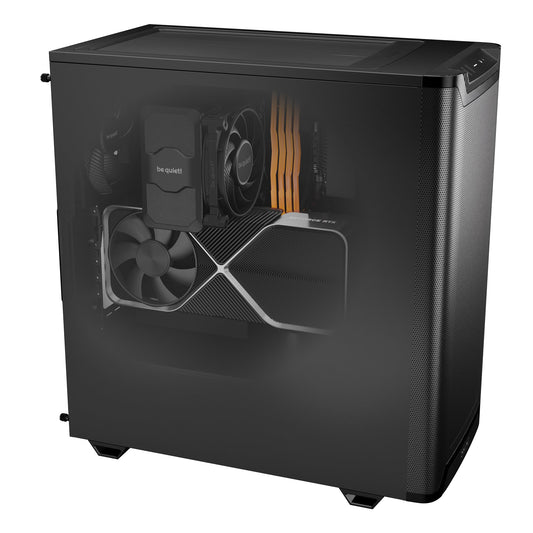
| 1 × RTX 5090 | 32 GB | Consumer Tower | Individual use, models up to 70B in 4-bit |
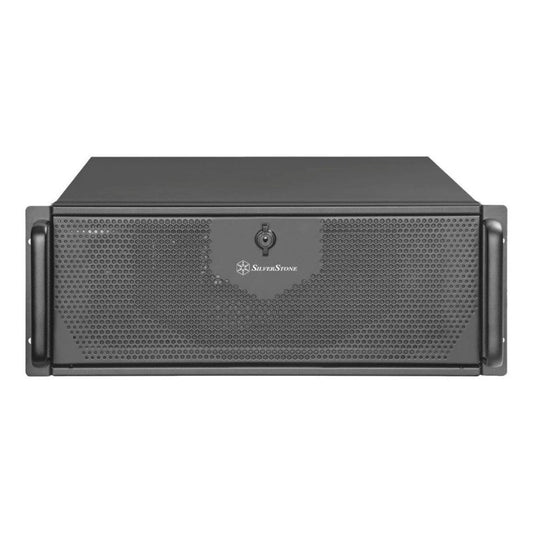
| 2 × RTX 5090 | 64 GB | 4U Rack, 2,000 W | Team, long contexts on large models |
| 1 × RTX 6000 Blackwell | 96 GB ECC | Workstation or rack | Large models solo, fine-tuning, ECC |
| 2 × RTX 6000 Blackwell | 192 GB ECC | 4U Rack, Threadripper PRO | Production, many users |
| 3 × RTX 6000 Blackwell | 288 GB ECC | Threadripper PRO, full PCIe lanes | Research, training, very large models |
| 4 × RTX PRO 6000 Blackwell | 384 GB ECC | Threadripper PRO, more cards upon request | Very large models, multiple models in parallel |
Which card to choose before deciding on the quantity
Choosing the card model precedes choosing the quantity. Here is how the two references compare, in single-card versus multi-card configurations. Both references are available in our AI machine range, in both single-card and multi-card versions.
| Criteria | RTX 5090 (32 GB) | 2 × RTX 5090 (64 GB) | RTX 6000 Blackwell (96 GB) |
|---|---|---|---|
| Total VRAM | 32 GB | 64 GB | 96 GB |
| 70B model in 4-bit | Fits, short context | Comfortable | Wide margin |
| Speed, single user | Maximum | Comparable to one card | High, no bottleneck |
| Multiple users | Limited | Multiplied throughput | Good, shared memory |
| Image and video generation | Excellent | One card at a time | Excellent |
| Fine-tuning | LoRA up to approx. 13B | Limited by PCIe | QLoRA on 70B |
| ECC memory | No | No | Yes |
| Expandable up to | 3 cards in configurator, 4+ by quote | 3 cards in configurator, 4+ by quote | 3 cards in configurator on TR PRO, 4+ by quote |
| GPU power consumption | 575 W | 1,150 W | 600 W |
The hidden costs of a second card
The price of the card is only the beginning. A serious dual-GPU configuration involves four items that component lists often forget.
PCIe lanes
Consumer processors offer only 16 to 24 PCIe lanes. With two cards, a standard motherboard splits them into x8 and x8. This is why a dual-card configuration from us is a rack format, and why three cards require a Threadripper PRO platform, the only one capable of providing enough lanes to power them fully.
Power supply
One RTX 5090 consumes 575 W. With two cards, you need a 1,500 W minimum power supply, and preferably 2,000 W Platinum. Beyond that, for a three-professional-card configuration, electrical and thermal sizing is an integral part of the study we conduct with you.
Cooling and chassis
Two cards under load produce twice the heat, in a space where they interfere with one another. You need a chassis with a well-thought-out airflow, and often a rack format that physically separates the cards.
System memory
The model passes through RAM before being loaded into VRAM. Rule of thumb: at least twice the total VRAM in system memory. For 64 GB of VRAM, account for 128 GB of RAM.
How software distributes the model
Two approaches coexist, and they are not equivalent.
Layer-based distribution. This is what Ollama and llama.cpp do automatically. Each card receives a slice of the model and processes them in sequence. Little communication between cards, therefore PCIe-tolerant, but no speed gain solo. This is the default mode and the right choice for consumer hardware.
Tensor parallelism. This is what vLLM offers. Each operation is broken down between the cards, which work simultaneously. A real speed gain is possible, but it requires high bandwidth between cards. Without NVLink, the benefit remains modest and depends heavily on available PCIe lanes.
Our platforms, configurable in number of cards
Each machine is assembled by hand in Auriol (13390) and is fully configurable, including the number of graphics cards. Adjust the configuration in our online configurator, or describe your usage to us for a custom quote at contact@radiancesystems.eu.
Workstation, one card
 CoreIA 64: RTX 5090 32 GBThe default choice for individual use. Graphics card configurable according to your needs.
€8,642
CoreIA 64: RTX 5090 32 GBThe default choice for individual use. Graphics card configurable according to your needs.
€8,642
Rack, two cards
 CoreIA Rack: 2 × RTX 5090, 64 GB4U Rack, 128 GB RAM, 2,000 W. Shared throughput and long contexts.
€17,887
CoreIA 128 Rack: 2 × RTX 6000, 192 GB ECC70B model in native precision, dozens of users, training.
€42,452
CoreIA Rack: 2 × RTX 5090, 64 GB4U Rack, 128 GB RAM, 2,000 W. Shared throughput and long contexts.
€17,887
CoreIA 128 Rack: 2 × RTX 6000, 192 GB ECC70B model in native precision, dozens of users, training.
€42,452
Threadripper PRO, from one to four cards, or more on request
Pro AI Ultra: up to 4 × RTX PRO 6000 Blackwell96 to 288 GB ECC VRAM in the configurator (1 to 3 cards), 4 cards or more by quote. RAM expandable to 2 TB.
€26,890
The single-GPU alternative
 GB10 Mini Server: 128 GB UnifiedSingle chip, 128 GB unified memory, 240 W. No inter-card bus management required.
€6,299
GB10 Mini Server: 128 GB UnifiedSingle chip, 128 GB unified memory, 240 W. No inter-card bus management required.
€6,299
In short
Do two graphics cards make local AI faster?
Not for a single user. Generation speed follows the bandwidth of a single card, and the cards work in turns. The real gain is elsewhere: more memory and multiplied throughput when several people or agents are using the server simultaneously.
Do the RTX 5090s support NVLink?
No. NVLink has been absent from consumer cards since the RTX 3090. Two RTX 5090s communicate via PCIe, which is suitable for inference but slows down training.
Should I choose two RTX 5090s or one RTX 6000 Blackwell?
For solo capacity, the RTX 6000 is better: 96 GB on a single card with no inter-card data exchange or platform constraints, plus ECC. For shared throughput among multiple users, two 5090s remain a viable option.
What is the maximum number of cards I can install?
It depends on the platform. A consumer tower supports two cards with shared PCIe lanes. Our Pro AI Ultra station, built on Threadripper PRO, supports up to four RTX PRO 6000 Blackwell cards, or more, providing 384 GB of ECC video memory with four cards: up to three cards can be selected in the configurator, four or more by quote.
Is the number of cards fixed at the time of order?
No. All our machines are configurable, including the number of graphics cards. You select the configuration in the online configurator or via a quote, and you can start with one card and add more later if the platform allows it.
Can I put two cards in a standard PC?
Physically sometimes, but PCIe lanes are then split into x8/x8, and the power supply, cooling, and system memory must be sufficient. This is why our configurations with two or more cards use a rack format or the Threadripper PRO platform.
Does image generation benefit from two cards?
Not natively. ComfyUI and video models use one card at a time. However, two cards allow you to run a language model on one and image generation on the other.
The indications in this guide are estimates based on public documentation and feedback from the ecosystem. Real-world performance depends on the inference engine, distribution mode, platform, and model used. For precise sizing, please contact us.