PC for Machine Learning Engineer: Training, Fine-tuning, Research
A machine learning engineer has different needs than a user who just wants to chat with a model. Training, fine-tuning, experimenting, processing large datasets: these tasks impose hardware constraints vastly different from simple inference. Buying the wrong machine means losing hours with each experimentation cycle.
This guide starts from the real-world workflows of an ML engineer, deduces what the hardware must provide, and proposes suitable workstations for each type of load, from development workstation to multi-GPU training station.
What an ML engineer really does, and what it demands
Model Training
Requires: VRAM, computation, long-term stability
Training from scratch or continuing pre-training puts the GPU under full load, sometimes for days. VRAM limits model and batch size. Stability becomes critical for long runs.
Fine-tuning (LoRA, QLoRA, full)
Requires: VRAM, iteration speed
The most common case in practice. LoRA and QLoRA reduce requirements, but serious fine-tuning demands 24 GB and more depending on the base model size.
Inference and Evaluation
Requires: VRAM, bandwidth
Testing models, comparing variants, serving a local API. Less resource-intensive than training, but VRAM remains the model size factor.
Data Preparation
Requires: CPU, RAM, fast storage
Cleaning, tokenization, augmentation, loading. This often-underestimated step is limited by the CPU, RAM, and storage speed, not the GPU.
The components that really matter
- VRAM, above all. It determines the size of models you can train and fine-tune. 24 GB is a comfortable threshold, 32 GB opens up serious models, 96 GB ECC targets research and large models.
- ECC memory for long runs. On a training run lasting several days, a silent memory error can corrupt an entire run. VRAM ECC (RTX 6000 Blackwell cards) protects critical computations.
- CPU and RAM for the data pipeline. A powerful GPU starved by slow data loading runs idle. Many cores and generous RAM feed the GPU without a bottleneck.
- Fast NVMe storage. Large datasets and checkpoints demand high throughput. A Gen 4 or Gen 5 NVMe prevents the drive from becoming the limiting factor.
- Multi-GPU for scaling. Two cards allow parallel training, processing larger models, or running multiple experiments at once.
Which VRAM for which ML task?
| Task | Recommended VRAM | Typical Card | Comment |
|---|---|---|---|
| Learning, prototyping, small models | 16 GB | RTX 5070 Ti | Ideal for starting and developing |
| LoRA/QLoRA Fine-tuning (up to 14B) | 24 to 32 GB | RTX 5090 32 GB | The industry sweet spot |
| Multi-experiment training, medium models | 2 × 32 GB | 2 × RTX 5090 | Parallelism, multiple runs |
| Heavy fine-tuning, large models, long runs | 96 GB ECC | RTX 6000 Blackwell | ECC for reliability |
| Research, full fine-tuning, R&D | 192 GB ECC | 2 × RTX 6000 Blackwell | The top tier for local use |
| Prototyping very large models | 128 GB unified | NVIDIA GB10 | Unified memory, compact format |
A local environment ready to code
Our workstations are delivered with the standard ML ecosystem pre-configured upon request, so you can code out of the box instead of spending hours setting up CUDA versions.
# Typical environment, pre-configured upon request
# PyTorch with CUDA 12.8 (Blackwell RTX 50xx / RTX 6000 cards)
pip install torch torchvision torchaudio \
  --index-url https://download.pytorch.org/whl/cu128

# Common ML tools
pip install transformers datasets accelerate peft bitsandbytes
pip install jupyterlab scikit-learn pandas

# LoRA fine-tuning ready to use with PEFT + Transformers
Our workstations by ML load type
All our machines are hand-assembled in Auriol (13390), tested before shipping, and delivered across the European Union. Fully configurable, including the GPU.
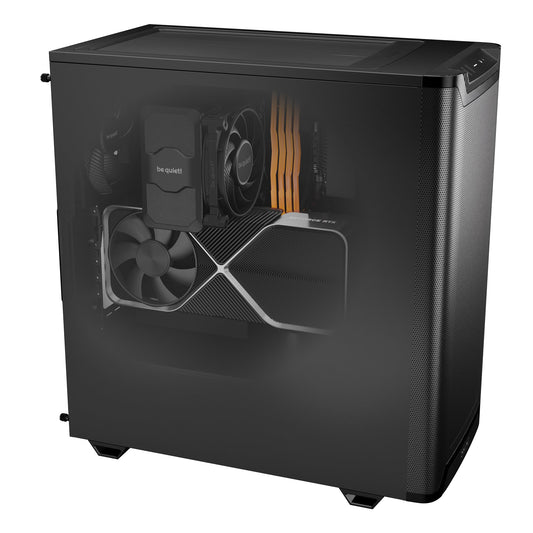
Radiance PC CoreAI 32 — RTX 5070 Ti 16 GB
Ideal for learning, developing, inference, and light LoRA fine-tuning.
The entry-level ML development workstation. 12 cores for the data pipeline, 16 GB of VRAM for inference and prototyping. The right starting point before moving to serious training.
PyTorch + CUDA stack pre-configured upon request
Configure this workstationRadiance PC CoreAI 64 — RTX 5090 32 GB
32 GB VRAM and record bandwidth: the reference machine for LoRA and QLoRA fine-tuning.
The workstation that covers most industry needs. 32 GB for fine-tuning models up to 14 billion parameters, 64 GB RAM for the data pipeline, a 16-core CPU with 3D cache. The best capacity/price ratio for an individual ML engineer.
Full ML stack pre-configured upon request
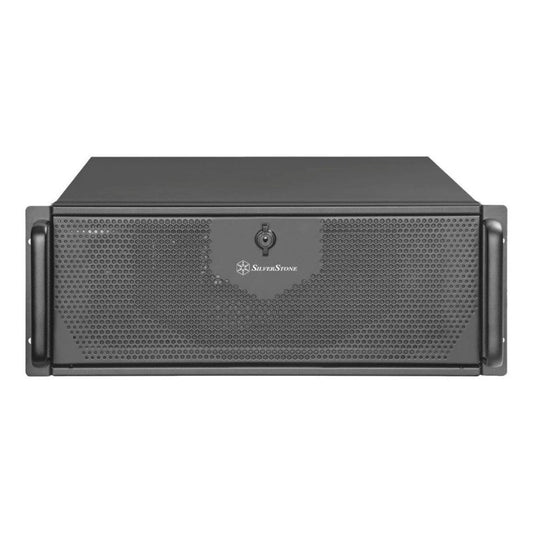
Configure this workstationRadiance CoreAI Rack — 2 × RTX 5090 (64 GB)
Two GPUs for parallel training, running multiple experiments, or distributing a large model.
For scaling up. Two RTX 5090s allow for distributed training, processing larger models, or simultaneously launching multiple experimental runs. 128 GB of RAM to feed both cards without bottleneck.
Distributed training, on-site installation possible
Configure this rackRadiance PC Pro AI Ultra — Threadripper PRO
96 GB of ECC VRAM and up to 2 TB of RAM: for heavy fine-tuning and research.
The platform for ML engineers pushing boundaries. 96 GB of ECC VRAM for large models and long runs without corruption risk, a Threadripper PRO CPU and RAM expandable to 2 TB for the most demanding data pipelines.
Custom-made, personalized quote, on-site installation
Request a quoteCoreAI 128 Rack — 2 × RTX 6000 Blackwell (192 GB ECC)
192 GB of ECC VRAM for full fine-tuning, large models, and continuous R&D.
The pinnacle of our range for local ML. 192 GB of ECC VRAM enables full fine-tuning of substantial models, distributed training across two professional cards, and datacenter-level reliability for continuous loads.
R&D, full fine-tuning, on-site installation
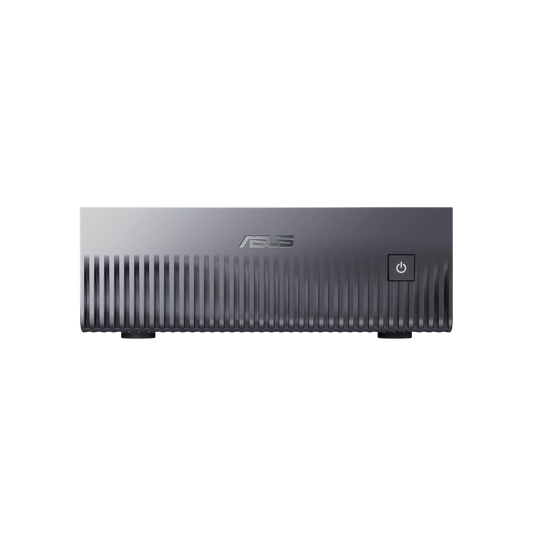
Request a quoteNVIDIA GB10 AI Mini Server — ASUS Ascent GX10
128 GB of unified memory to prototype very large models, in a desktop format.
A different approach: the 128 GB CPU-GPU unified memory allows loading models that even an RTX 5090 cannot accommodate, in a compact and silent format, with the CUDA and Jupyter environment ready from startup.
DGX OS, ready-to-use ML environment
Discover this serverWhy a local workstation rather than the cloud
Cloud GPU has its place, but for an ML engineer working daily, a local workstation offers concrete advantages.
- Controlled cost. GPU hours in the cloud accumulate quickly. A local workstation is a one-time investment, paid off in a few months of intensive use.
- Instant iteration. No provisioning, no instance waiting, no data transfer. You launch your experiments immediately.
- Private data. Your datasets and proprietary models remain with you, without passing through a third-party provider.
- Total availability. No GPU quota, no instance shortage, no downtime. Your machine is always there.
- Stable environment. Your software stack doesn't change from one session to the next.
In brief
How much VRAM for an ML engineer?
16 GB for development and prototyping, 24 to 32 GB for LoRA/QLoRA fine-tuning, 96 GB ECC and more for full fine-tuning and research.
Is ECC memory necessary?
For long training runs of several days, yes: ECC protects against silent memory errors that can corrupt a run. RTX 6000 Blackwell cards are equipped with it.
Does the CPU matter for ML?
Yes, for data preparation. A powerful GPU that is poorly fed will run idle. Many cores and generous RAM prevent this bottleneck.
Does fine-tuning require more than inference?
Significantly more. Due to gradients and optimizer states, fine-tuning can require two to three times the VRAM of inference for the same model.
Local or cloud?
Local is more economical and faster for daily use. A hybrid approach, local plus occasional cloud, is often the most relevant.
Are the machines ready to code?
Yes, upon request: PyTorch, CUDA, Hugging Face libraries, and Jupyter pre-configured, so you can code right out of the box.
Can the configuration be customized?
Yes, completely. Graphics card, CPU, RAM, storage, power supply, cooling, and case are configurable on each product page via the online configurator. For specific needs or a custom configuration, contact us at contact@radiancesystems.eu or via the quote form: we adapt the machine to your exact workload.