Local AI PC build in 2026: comprehensive guide and comparison
Partager
Configured workstation, dual GPU, or NVIDIA GB10 mini-server: we compare each option so you leave with the machine you need: without cloud, without compromising your data.
Why run AI locally?
In 2026, artificial intelligence is no longer reserved for data centers. Thanks to new GPU architectures and optimized open-source models (Llama 4, Mistral, DeepSeek, Qwen…), it is now possible to run powerful LLMs directly on your own machine, without sending any data to the cloud.
For professionals subject to GDPR: lawyers, doctors, accountants, notaries, design offices: this is a revolution: you benefit from powerful AI, without ever exposing your client files to third parties.
- Total confidentiality: your data remains on your local network, no sending to external servers.
- Zero recurring subscription: once the machine is purchased, inference costs are zero.
- Low latency: the response is immediate, without depending on the quality of your connection.
- Offline operation: useful on site, on the go or in case of network failure.
- Complete customization: fine-tuning, RAG, agents: you control the entire environment.
Good to know: All Radiance Systems machines are assembled, tested and optimized in France (Auriol, 13), with a 2-year warranty and dedicated technical support responding in less than 3 hours.
Key criteria for an AI PC configuration
GPU VRAM: the #1 factor
For local AI, video memory (VRAM) directly determines the size of the models you can run. A 7 billion parameter LLM in 4-bit requires about 4-5 GB of VRAM; a 70B model in 4-bit requires 35-40 GB. The more VRAM, the larger models you can load or run multiple models simultaneously.
Good news: all our workstations are fully configurable, including the graphics card. The CoreAI 64, for example, offers consumer GPUs (RTX 5070 Ti to RTX 5090) but also professional GPUs up to 96 GB of VRAM (RTX 6000 Blackwell, L40S, H100…). If you have a specific need for GPU memory, you can build exactly the machine you need from the configurator, or contact us for a custom quote.
| Model Size | Quantization | Required VRAM | Compatible with |
|---|---|---|---|
| 7B (e.g. Mistral 7B) | 4-bit (GGUF) | ~4–5 GB | RTX 5070 Ti, RTX 5090, GB10 |
| 13–14B | 4-bit | ~8–10 GB | RTX 5070 Ti, RTX 5090, GB10 |
| 32–34B | 4-bit | ~18–22 GB | RTX 5090 (32 GB), RTX 6000 Blackwell (96 GB), GB10 (128 GB) |
| 70B (e.g. Llama 4 Scout) | 4-bit | ~35–40 GB | RTX 5090 (partial), L40S (48 GB) ✅, GB10 ✅ |
| 70B full precision / 2×70B | 8-bit or FP16 | 60–96 GB | RTX 6000 Blackwell (96 GB) ✅, GB10 ✅ |
| Models 200B+ / heavy multimodal | 4–8-bit | 100–128 GB+ | GB10 (128 GB unified) ✅, H100 NVL (94 GB) ✅ |
GPU Configurator: The CoreAI 64 allows you to choose from over 15 GPUs, from the consumer RTX 5070 Ti to the H200 141 GB. You are not limited to the displayed configurations: contact us for a quote adapted to your exact VRAM needs.
System RAM, processor, and storage
System RAM is used for complex pipelines (RAG, multi-agent orchestration, processing of large documents). 32 GB is a serious minimum; 64 GB and more become necessary as soon as you multiply parallel tasks. For the CPU, AMD's Ryzen 9 series in AM5 offer an excellent balance of computing power and memory bandwidth that AI frameworks need. Finally, a fast NVMe SSD accelerates the initial loading of model weights: count 1 TB minimum for comfortable use.
Comparison of the 3 Radiance Systems configurations
| Model | GPU / AI Memory | CPU | RAM | Base price | Ideal for |
|---|---|---|---|---|---|
| CoreAI 32 RTX 5070 Ti Entry-level Pro | RTX 5070 Ti: 16 GB VRAM | Ryzen 9 9900X (12c) | 32 GB DDR5 (up to 256 GB) | €2,442 | LLM up to 13B, image generation, AI development, multimedia |
| CoreAI 64 RTX 5090 High-End | RTX 5090: 32 GB VRAM | Ryzen 9 9950X3D (16c) | 64 GB DDR5 (up to 256 GB) | €6,042 | 70B LLM, fine-tuning, pro 3D rendering, intensive AI pipelines |
| Mini Server GB10 ASUS Ascent | NVIDIA GB10: 128 GB LPDDR5X unified | Grace (ARM, 20 cores) | 128 GB unified CPU+GPU | €3,999 | Dedicated AI server, 70B+ models, multi-user inference, on-site deployment |
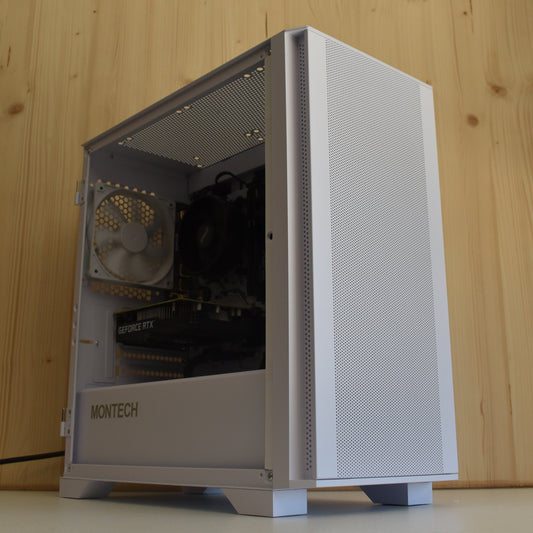
Radiance PC CoreAI 32: RTX 5070 Ti
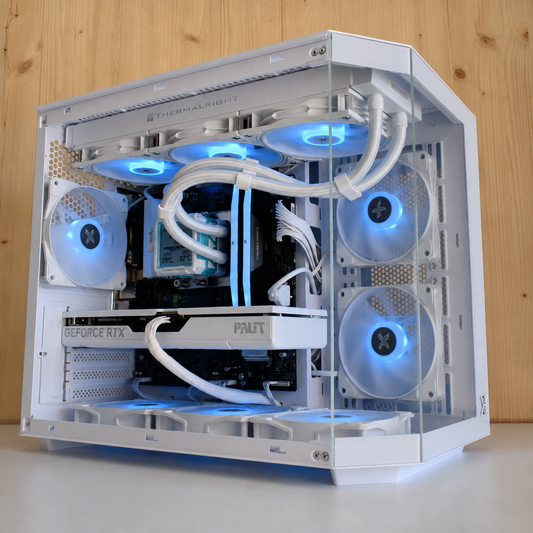
The Radiance PC CoreAI 32 is the entry-level professional AI workstation. It is the ideal configuration for seriously starting with local AI, without breaking the bank, while maintaining a fully upgradeable machine.
Base configuration
- GPU: NVIDIA GeForce RTX 5070 Ti: 16 GB VRAM (Blackwell architecture)
- CPU: AMD Ryzen 9 9900X: 12 cores / 24 threads, AM5 socket
- RAM: 32 GB DDR5 5600 MHz: upgradeable up to 256 GB
- Storage: 1 TB NVMe (up to 3,500 MB/s)
- Power Supply: MSI 850W 80+ Gold PCIe 5
- OS: Windows 11 Professional (license included)
- WiFi 6E + Bluetooth included depending on the chosen motherboard
What you can run
With 16 GB of VRAM, the CoreAI 32 comfortably handles LLMs up to 13B in full quality, 7B models in long context, image generation with FLUX, Stable Diffusion XL, as well as light multimodal processing pipelines. This is the machine typically used by lawyers, SMEs, and freelancers who want efficient local AI without server constraints.
⚠️ Important limitation: models of 30B and more exceed VRAM and will partially transfer to system RAM, which considerably slows down inference. For these uses, opt for the CoreAI 64 or the GB10.
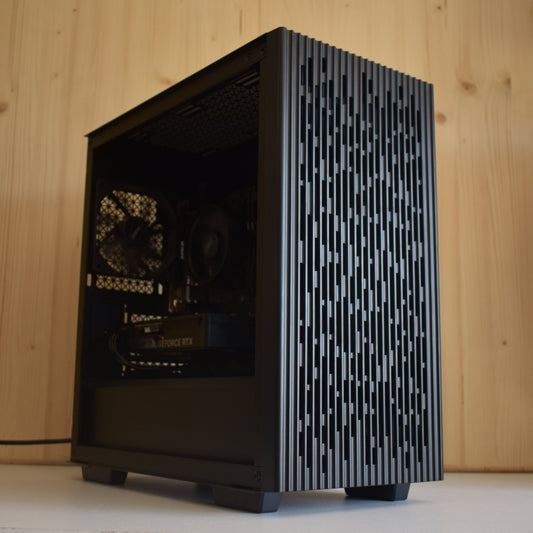
Radiance PC CoreAI 64: RTX 5090
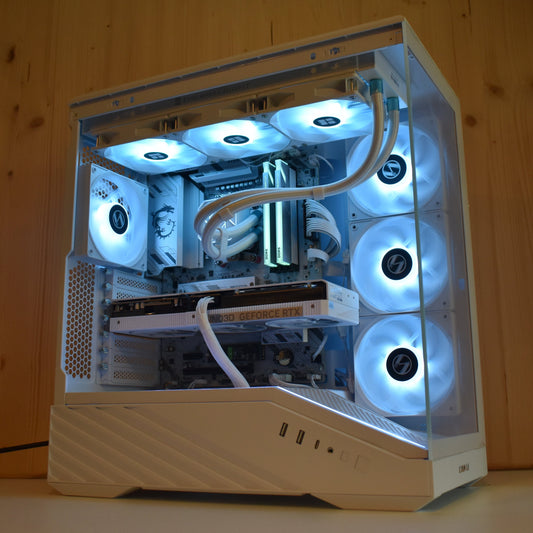
The Radiance PC CoreAI 64 is the high-end AI workstation in the range. With the RTX 5090 and its 32 GB of VRAM, it can run current generation LLMs at full capacity, including 70B models with aggressive quantization. And if your needs go beyond consumer-grade, the configurator also offers professional GPUs: L40S 48 GB, RTX 5000 Blackwell 48 GB, RTX 6000 Blackwell 96 GB, or even H100 NVL for the most intensive workloads.
Base configuration
- GPU: NVIDIA GeForce RTX 5090: 32 GB VRAM (the most powerful consumer GPU in 2026)
- CPU: AMD Ryzen 9 9950X3D: 16 cores / 32 threads + 3D V-Cache
- RAM: 64 GB DDR5 6000 MHz: upgradeable up to 256 GB
- Storage: 1 TB NVMe (up to 3,500 MB/s): easily expandable
- Power Supply: Deepcool 1200W 80+ Gold
- OS: Windows 11 Professional (license included)
- WiFi 7 + Bluetooth included (MSI X870E)
What you can run
The RTX 5090 32 GB is the reference GPU for local AI on consumer workstations. It allows you to run Llama 4 Scout (109B MoE with 17B activation), Qwen 2.5 72B in 4-bit, distilled DeepSeek-R2, or heavy multimodal pipelines combining vision + text. It is also the reference configuration for light fine-tuning (LoRA, QLoRA) on enterprise datasets.
To go further, the configurator offers pro GPUs: the RTX 6000 Blackwell 96 GB can run 70B models in full precision or multiple models in parallel; the L40S 48 GB is optimized for server inference; and up to the H100 NVL 94 GB for the most demanding needs. VRAM is not a fixed ceiling: it adapts to your usage.
Fully configurable GPU: the CoreAI 64 offers over 15 GPU options in its configurator, from the RTX 5070 Ti up to the H200 141 GB. You can also add a second graphics card (multi-GPU). VRAM is not a fixed constraint: it adapts to your usage. Contact us for a custom quote.
NVIDIA GB10 AI Mini Server: ASUS Ascent GX10
The ASUS Ascent GX10 (NVIDIA GB10 Grace Blackwell) is a category apart. It's not a classic workstation: it's a dedicated, ultra-compact (150×150×51 mm) AI mini-server, designed exclusively for AI workloads: local inference, fine-tuning, RAG, autonomous agents, multi-user deployment.
Unified architecture: the GB10 advantage
The NVIDIA GB10 chip combines ARM CPU (Grace, 20 cores) and Blackwell GPU in a 128 GB LPDDR5X unified memory architecture. Unlike a classic graphics card (separate VRAM), this unified memory is equally accessible by the CPU and GPU, without costly transfers between the two. The result: you can run 70B models in full precision or multiple models simultaneously, with exceptional memory bandwidth.
- 1 petaFLOP of AI power (INT8): for reference, the best gaming GPUs cap at ~0.35 PFLOPS INT8
- 128 GB of unified memory: running Llama 4 Maverick (400B MoE) is feasible
- Pre-installed DGX OS: CUDA, PyTorch, TensorFlow, Jupyter: everything is ready from startup
- Professional network connectivity: 10G LAN + ConnectX-7 (2×200G QSFP)
- Wi-Fi 7 + Bluetooth 5 integrated
- Ultra-compact desktop format: 1.48 kg, usable on any desk or in a rack
Who is it for?
The GB10 is aimed at organizations that want a dedicated AI server, separate from workstations: a medical practice that wants AI accessible to the entire team via the local network, a design office that deploys a RAG assistant on its internal documents, or an AI developer who wants a native Linux environment optimized for model training.
⚠️ Important: the ASUS Ascent GX10 runs on DGX OS (Linux Ubuntu). It is not designed for Windows office use. If you need a versatile machine (word processing, spreadsheet, daily web browsing), a CoreAI workstation is more suitable.
Configure your AI machine
Each configuration is fully customizable from our online configurator. All options are compatible and verified by our technicians before shipment.
CoreAI 32
RTX 5070 Ti
- GPU RTX 5070 Ti 16 GB
- CPU Ryzen 9 9900X
- RAM 32 GB DDR5 → 256 GB
- SSD 1 TB NVMe
CoreAI 64
RTX 5090
- GPU RTX 5090 32 GB
- CPU Ryzen 9 9950X3D
- RAM 64 GB DDR5 → 256 GB
- SSD 1 TB NVMe
ASUS Ascent
NVIDIA GB10
- GPU NVIDIA GB10 Blackwell
- Memory 128 GB LPDDR5X unified
- AI Perf 1 petaFLOP INT8
- OS DGX OS (Linux)
Which configuration should you choose based on your usage?
The right choice depends on three factors: the size of the models you wish to use, your working environment (individual workstation vs. shared server), and your software stack (Windows or native Linux).
Lawyer / Notary
GDPR assistant for confidential documents, contract analysis. CoreAI 32 or GB10 depending on whether you want a machine or a shared server in the office.
Doctor / Medical Practice
Drafting assistance, reports, medical image analysis. GB10 recommended for multi-user local network use.
AI Developer
LoRA fine-tuning, RAG, autonomous agents. CoreAI 64 RTX 5090 for maximum GPU power on Windows; GB10 for a native CUDA Linux environment.
SME / Mid-sized Company
Deployment of a shared internal LLM. GB10 as a central server + workstations for key employees.
Creation & 3D
Generative AI (images, video), 3D rendering, 4K editing. CoreAI 32 to start, CoreAI 64 for the most demanding projects.
Data Science
Training custom models, processing large datasets. CoreAI 64 or GB10 depending on workload size.
Need help choosing your configuration?
Our team responds in less than 3 hours and offers you a quote adapted to your use, your budget, and your existing infrastructure. On-site pickup available in Auriol (13).
Frequently asked questions