General information
Running, developing, and testing AI locally, efficiently, securely, and without relying on the cloud, it is also suitable for more traditional office tasks.
2 years vendor (or more if you add an extended warranty option)
Only if a motherboard with integrated Wi-Fi (step 4 of the configurator) is selected.
- Radiance PC CoreIA 64 RTX 5090
- Power cable
- SATA cable (if you want to add storage later)
- Extra screws (if you want to change components later)
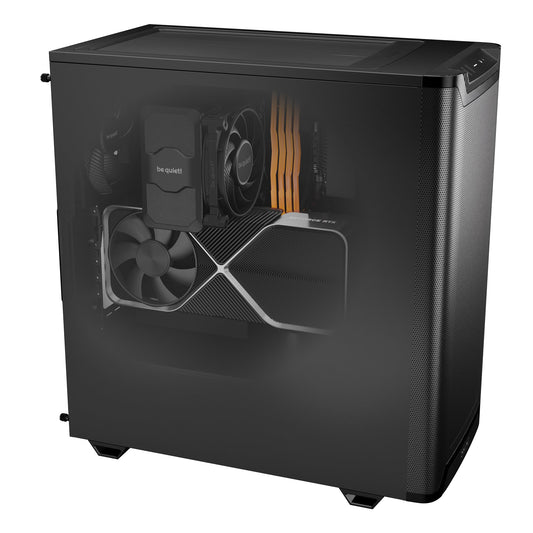
For the "be quiet! Pure Base 501 Airflow Black case - without lighting modes" [L*W*H] 450×231×449mm (without feet)
for other case sizes, see the product page for the case by pressing "i".
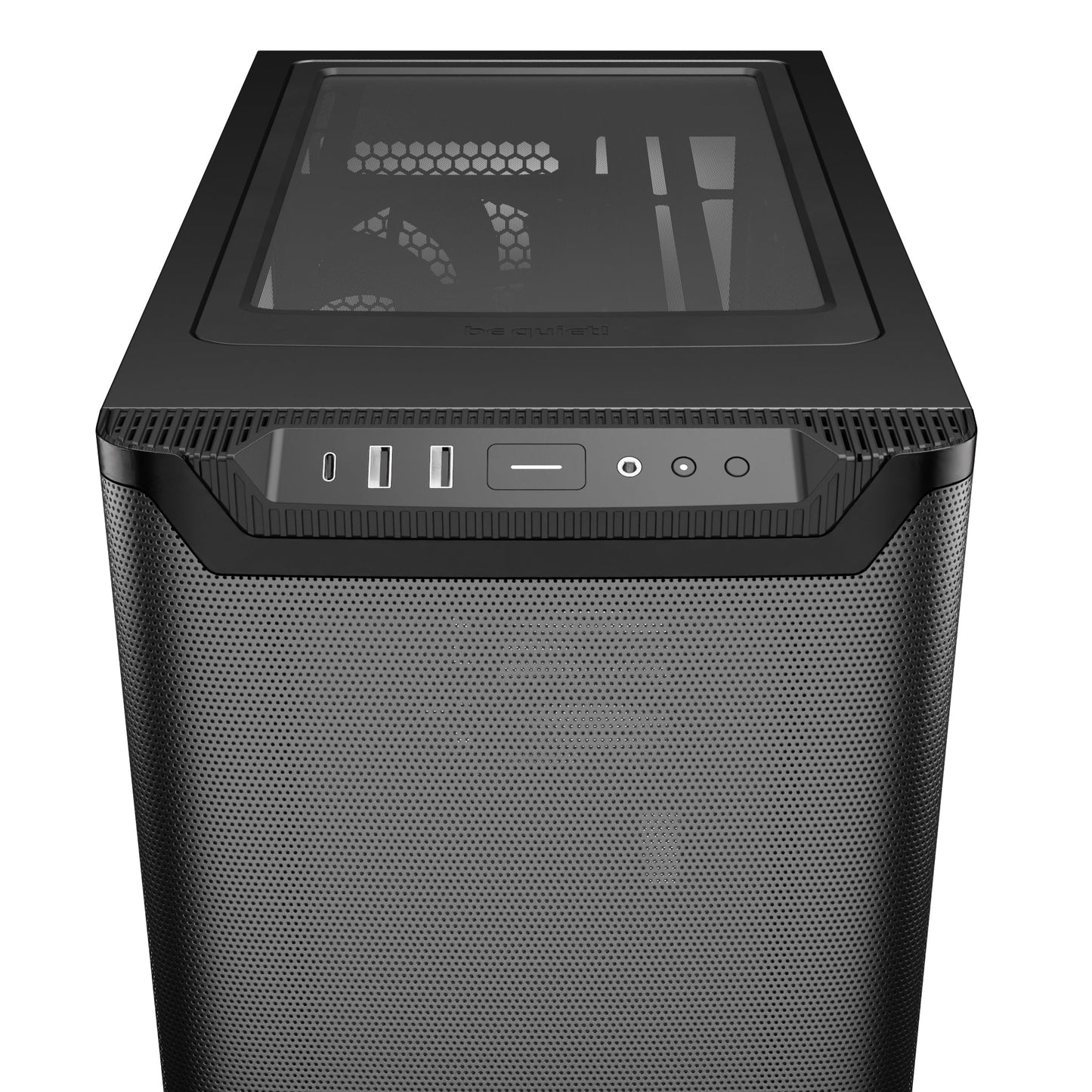
Connectors
Depends on the choice of case, see above in the product sheet by pressing "i".
1 Ethernet port
2 x USB-A 2.0
3 x USB-A 3.0
1 x USB-C
1 x HDMI
3 x DisplayPort
Windows System / OS
Windows 11 Pro
Yes
Custom automation
What this machine can do for your team
Pick an example, compare before and after, then estimate the time saved with your own figures. We build every automation to measure, at a price agreed in advance.
Reports written from your results
For a neuropsychology practice, we built a tool that calculates assessment scores and fills in the practitioner's report template. The same approach works for any document you write from figures or notes.
Today
- 1Copy results into a spreadsheet
- 2Look up reference values and calculate scores
- 3Write and format the report
With automation
- You enter or import the results
- The tool calculates the scores and fills in your template
- You review, adjust and export
Every email sorted and sent to the right person
For companies that receive many messages on a shared address, the AI reads each email, understands the request and routes it to the right team, with an urgency level.
Today
- 1Open and read every message in the shared inbox
- 2Decide who should handle it
- 3Forward it, then check nothing was missed
With automation
- The AI reads and sorts each email as it arrives
- It lands directly in the right inbox, with its urgency level
- Your team only handles what concerns them
Replies prepared with your real data
When a customer asks about an order or whether an item is in stock, the AI fetches the information from your tools (stock, orders) and drafts a reply you only need to approve.
Today
- 1Read the customer's question
- 2Look up the order or stock in your software
- 3Write the reply
With automation
- The question is recognised automatically
- The AI pulls the right information from your tools
- A draft reply is waiting: you approve and send
Invoices collected and filed without a second thought
At Radiance Systems, an n8n workflow collects every supplier invoice, renames it and files it. No more missing documents at closing time.
Today
- 1Open each email or supplier portal
- 2Download the invoice and rename it
- 3File it and pass it on to accounting
With automation
- n8n spots the invoice as soon as it arrives
- It is downloaded, renamed and filed automatically
- Everything is in one place, ready for accounting
Order follow-up that sends itself
We use this workflow for our own orders: the customer receives an email at each key step, then a review request once the order is delivered.
Today
- 1Check the status of each order
- 2Write to the customer to keep them informed
- 3Remember to ask for a review after delivery
With automation
- Each order step triggers the right email
- The customer stays informed without you thinking about it
- The review request goes out at the right time
Ask your documents a question
The AI reads your files (contracts, procedures, reports) and answers your questions, showing the source document. Everything stays on the machine, on your premises.
Today
- 1Dig through shared folders
- 2Open several files one by one
- 3Find the right passage
With automation
- You ask your question in plain language
- The AI searches all your documents at once
- It answers and shows where the information comes from
From meeting recording to minutes
The meeting is recorded and transcribed on the machine, then the AI drafts structured minutes: decisions, actions, owners. Useful for council meetings, general assemblies or team meetings.
Today
- 1Take notes during the meeting
- 2Listen again or reread so nothing is missed
- 3Write and send the minutes
With automation
- The meeting is transcribed on the machine, nothing sent online
- The AI drafts structured minutes
- You review and send them
Estimate the time saved
Time given back to your team
≈ 11 h per month
about 19 working days per year
Calculated only from the figures you enter. What can really be automated is defined together during the call.
See all our custom AI automation examples
And for the machine itself
Ready to use
To get started without installing anything yourself:
Installation on your premises
We come to install and connect the machine at your site:
- On-site installation in France€790,00
- On-site installation in Europe€1.490,00
Support and after-sales
Team training and phone or video support, on quote. Our after-sales service specialises in AI: you talk to someone who knows your configuration. Warranty extensions are available as options.
A specific project? Let us talk it through in 20 minutes, with no commitment.
Workstation configurator: what options to choose?
Not sure exactly what you need?
-

2-year warranty
-

Wi-Fi and Bluetooth available
-

Power cord included
-

Ready to use


Premium blend
This model benefits from our original premium assembly which includes:
- XMP / EXPO memory profile activation
- BIOS update
- Professional cable management
- Comprehensive PC functional testing
- Wi-Fi / Bluetooth installation
- NVIDIA Studio driver installation
- Optimal fan curve adaptation
- 2-year Radiance warranty

About Radiance Systems
Radiance Systems is a small company in the south of France that designs and assembles high-performance, reliable, and ready-to-use PCs with a wide variety of customization options. Each machine is carefully assembled, tested, and optimized, with human support before and after purchase.

Customer service that makes a difference
At Radiance Systems, we prioritize dedicated customer support over anonymous assistance often found on large marketplaces:
- 2-year Warranty – quick exchange or repair in case of a problem.
- Dedicated Technical Support – assistance with installation, optimization, and updates.
- Response within 3 hours – via email, chat, or phone. (during working hours)
Our goal? To ensure every customer enjoys their PC.

Configure the PC that's right for you
Do you want a different case? More RAM? A different graphics card or processor? More storage, water cooling, or additional fans?
At Radiance Systems, you save money by buying directly from the manufacturer. This also offers you other advantages, including the possibility to customize your computer at a great price.
Do you have any questions or want to add options not directly available on the site? Click on "chat" at the bottom right, and an advisor will answer you as soon as possible.
All our AI-optimized PCs
-
Radiance PC CoreIA 16 RTX 5060 TI 16GB
Regular price €1.598,59 EUR HT€1.918,31 EUR TTCRegular priceUnit price par -
Radiance PC CoreIA 32 RTX 5070 Ti
Regular price €2.384,95 EUR HT€2.861,94 EUR TTCRegular priceUnit price par -
AI Mini Server - NVIDIA GB10, 128GB LPDDR5X, ASUS Ascent
Regular price €5.832,50 EUR HT€6.999,00 EUR TTCRegular priceUnit price par -
Radiance PC CoreIA 64 RTX 5090
Regular price €7.742,76 EUR HT€9.291,31 EUR TTCRegular priceUnit price par -
Radiance PC CoreIA 128 Dual 5090
Regular price €15.794,86 EUR HT€18.953,83 EUR TTCRegular priceUnit price par -
Radiance PC Pro AI Ultra Threadripper
Regular price €24.968,42 EUR HT€29.962,10 EUR TTCRegular priceUnit price par -
Radiance PC CoreIA 128 Dual RTX 6000 PRO
Regular price €40.423,36 EUR HT€48.508,03 EUR TTCRegular priceUnit price par