PC for Gemma 4 12B: The Ideal Workstation
Gemma 4 12B is arguably the most well-balanced local model currently available: multimodal, with a 256,000 token context, an Apache 2.0 license, and most importantly, a memory footprint that comfortably fits on a 16 GB card. This is precisely the profile for which our CoreAI 16 workstation was designed.
This guide explains what Gemma 4 12B brings, the actual VRAM needed depending on quantization, and why a well-configured 16 GB workstation is the most relevant choice to fully benefit from it.
Gemma 4 12B at a glance
Gemma 4 12B is a 12-billion-parameter open model from Google DeepMind. It is the intermediate member of the Gemma 4 family, between the smaller edge models (E4B) and the larger 26B MoE model.
Native Multimodal
Text, image, video, and native audio within a single transformer. It can process inputs like multi-minute video clips with synchronized audio.
256K Token Context
A massive context window, ideal for analyzing long documents, codebases, or complete conversation histories.
Apache 2.0 License
Free commercial use, without restriction. This is a major change from Gemma 3, whose terms were more restrictive.
Multilingual
Supports over 140 languages, including excellent proficiency in French, for both writing and comprehension.
How much VRAM for Gemma 4 12B?
This is where Gemma 4 12B shines: it's surprisingly lightweight for its quality. Here are the actual requirements based on quantization, for a short to medium context.
| Quantization | VRAM required | Quality | Recommendation |
|---|---|---|---|
| Q4_K_M | approx. 6.6 GB | Close to original | The sensible default |
| QAT Q4_0 | approx. 6.6 GB | Better than classic Q4 | Best quality/size ratio |
| Q5_K_M | approx. 8 to 9 GB | Very high | If you have the margin |
| Q8_0 | approx. 13 GB | Maximum fidelity | Ideal on 16 GB |
Why 16 GB of VRAM is the ideal envelope
Gemma 4 12B technically fits on 8 GB in Q4. But a 16 GB card changes everything in practice, for three reasons.
First, you can go up to Q8_0 (approx. 13 GB) for maximum fidelity, whereas an 8 GB card restricts you to Q4.
Second, the 256K token context consumes a lot of memory in addition to the model. On 8 GB, you quickly run out of space as soon as you use long documents. On 16 GB, you have ample margin for the context.
Finally, 16 GB allows you to run Gemma 4 12B and other uses in parallel: an embedding model for document search, or another model loaded simultaneously.
Our recommendation: the CoreAI 16 workstation
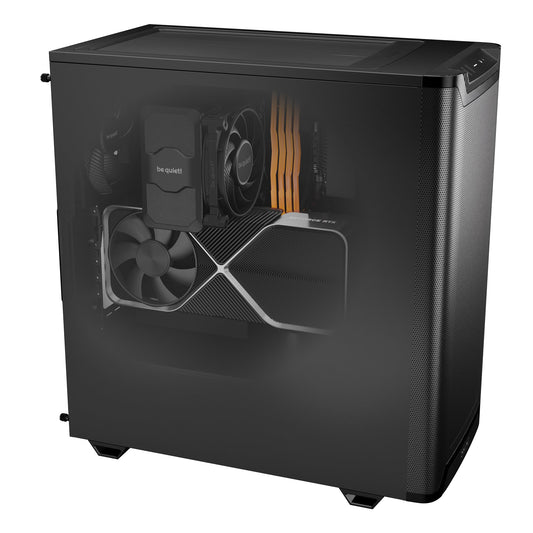
The Radiance PC CoreAI 16 is sized precisely for this profile. Its RTX 5060 Ti 16 GB card runs Gemma 4 12B in all quantizations, up to Q8, with ample context margin, and remains expandable for the future.
Radiance PC CoreAI 16 — RTX 5060 Ti 16 GB
- GPU NVIDIA RTX 5060 Ti 16 GB GDDR7
- CPU AMD Ryzen 5 7500F
- RAM DDR5 16 GB, expandable
- Storage NVMe 1 TB
- OS Windows 11 Pro or Ubuntu
- Form Factor Compact and silent tower
Gemma 4 12B in Q8 with large context, and room for 14B and larger models.
Running Gemma 4 12B locally
The simplest way is via Ollama. A few commands are enough.
# Standard version
ollama run gemma4:12b

# QAT version (better quality for the same size)
ollama run gemma4:12b-qat

# For a large context, create a dedicated variant:
cat > Modelfile <<'EOF'
FROM gemma4:12b-qat
PARAMETER num_ctx 65536
EOF
ollama create gemma4-12b-ctx -f Modelfile
Gemma 4 12B also works very well with LM Studio (integrated model browser) and llama.cpp. On our machines, everything is pre-configured on request.
What if your needs evolve?
Gemma 4 12B is an excellent starting point. If you then want to run larger models, here are our other workstations, from the same workshop in Auriol (13390).
In brief
What VRAM for Gemma 4 12B?
6.6 GB in Q4 is enough to get started. 16 GB allows for Q8, a large context, and room to grow. This is the recommended envelope for serious use.
Q4, QAT Q4_0 or Q8?
QAT Q4_0 offers the best quality/size ratio (same footprint as classic Q4, better accuracy). Q8 is reserved for maximum fidelity, ideal on 16 GB.
Is Gemma 4 12B free?
Yes, Apache 2.0 license, free commercial use included. You only pay for the hardware.
Can it process images, video, audio?
Yes, it's a native multimodal model: text, image, video, and audio in a single interface.
Which machine to buy?
The CoreAI 16 (RTX 5060 Ti 16 GB, starting from €1,703) is sized precisely for Gemma 4 12B, delivered ready to use.