Home AI Workstation 2026: The complete guide to building your home AI workstation
Looking to set up a home AI workstation in 2026? You've come to the right place. Open-source models have reached frontier levels, tools like Ollama and Open WebUI have become accessible to any tech user, and consumer hardware—RTX 5060 Ti 16GB, RTX 5090, GB10 mini-supercomputers—can run Llama 4, Qwen 3.5, and DeepSeek V4 directly from your home office.
This guide details the configurations, budgets, and hardware choices for a personal or freelance home AI workstation, without the cloud, without subscriptions, and with a rapid return on investment.
Why build a home AI workstation in 2026?
Immediate ROI vs. Cloud
A ~€2,000 RTX 5090 pays for equivalent A100 / H100 cloud services in 120 to 200 hours of use. At 8 hours/day, 5 days/week, ROI is achieved in 4 to 6 months—then your workstation operates cost-free for 3 to 5 years.
Your data stays with you
Confidential business ideas, freelance client data, personal R&D projects, proprietary code: everything remains on your machine. No risk of leaks, no hidden usage policies, no monitoring by a cloud provider.
Zero latency, 24/7 availability
No queues, no quotas, no GPU shutdowns at midnight. Your workstation is always ready. You start a fine-tuning job at 2 AM, it runs uninterrupted until morning.
Total freedom to experiment
No usage limits, no prompt censorship, root access, free choice of frameworks (PyTorch, TensorFlow, vLLM, llama.cpp, ComfyUI…). You test whatever you want, without asking permission.
Versatility — not just for AI
A modern AI workstation also runs the latest AAA games in 4K, 8K video editing, Blender 3D rendering, OBS streaming—the RTX 5090 32GB GDDR7 is also the best gaming GPU of 2026.
Offline — works without internet
ADSL outage, travel, teleworking in an area with poor coverage: your AI remains operational. True digital autonomy.
Home AI Workstation vs. Cloud: The Real Economic Comparison
| Criterion | Cloud GPU (AWS/Azure) | Home AI Workstation |
|---|---|---|
| Hourly Cost A100 / H100 | ~€32/hr continuous (~€23,000/month) | €0 after amortization |
| Initial Investment | €0 | €1,700 to €8,000 |
| Break-even Point | — | 4 to 6 months (8hr/day usage) |
| Data Confidentiality | Data with provider | 100% local |
| GPU Latency | Variable (~5-50 ms) | Zero (Direct PCIe) |
| GPU Availability | Based on instance stock | 100% at all times |
| Quotas / Limits | Yes (rate limit, tokens) | None |
| Over 3 years (moderate usage) | €15,000 – €60,000 | €2,000 – €8,000 + electricity |
The Critical Factor: VRAM
To run an LLM locally, the number one criterion is video memory (VRAM). Inference is limited by memory bandwidth—the GPU spends most of its time loading model weights, not calculating.
| VRAM | Compatible Models (Q4) | Usage Type | GPU Type |
|---|---|---|---|
| 8 GB | 7-9B (Llama 3.1 8B, Qwen3 8B) | Discovery, personal chatbot | RTX 5060 8 GB |
| 12 GB | 13B-17B MoE (Llama 4 Scout) | Regular use, experimentation | RTX 5070 12 GB |
| 16 GB ⭐ Sweet spot 2026 | 14B dense (Qwen 3.5 14B, Phi-4) | Pro / freelance workstation | RTX 5060 Ti / 5070 Ti 16 GB |
| 24 GB | 26-32B (Gemma 4, Qwen 3.5 32B) | Advanced models, code | RTX 4090 24 GB (used) |
| 32 GB | 70B in Q4 (Llama 3.3 70B) | Serious fine-tuning, GPT-4 quality | RTX 5090 32 GB |
| 48 GB | 70B FP16 or larger context | Research, multi-model | RTX 6000 Ada 48 GB |
| 128 GB unified | 200B+ (DeepSeek V4, Llama 4) | Mini-supercomputer format | NVIDIA GB10 (Ascent GX10) |
| 96-192 GB (multi-GPU) | All models, heavy fine-tuning | Pro / home mini-lab | 2× RTX 5090 or 2× RTX 6000 Pro |
Components of a Good Home AI Workstation in 2026
GPU — The Most Important Component
The GPU accounts for 50 to 70% of an AI workstation's budget and directly determines the size of the models you can run. In 2026, the RTX 5090 32GB is the absolute benchmark for consumers—1,792 GB/s memory bandwidth, GDDR7, Blackwell. For tighter budgets, the RTX 5060 Ti 16GB offers the best value for money: 16GB is enough for 14B models in Q4_K_M.
CPU — Less Critical but Essential
For pure-GPU inference, any modern CPU suffices. For fine-tuning, RAG, or multi-stage pipelines: an AMD Ryzen 7 7800X3D, Ryzen 9 9900X, or Ryzen 9 9950X3D is ideal. For multi-GPU configurations and home HPC, Threadripper PRO becomes relevant (up to 96 cores and 2TB of ECC RAM).
System RAM — At Least 32GB DDR5
The vital minimum in 2026 is 32GB DDR5. With 64GB, you gain comfort (RAG on large databases, multi-model, inference batches). For serious research loads or intensive fine-tuning, 128GB ECC DDR5 becomes the norm. Frequency also matters: DDR5-6000 offers +15-25% performance in CPU offloading compared to DDR4-3200.
NVMe Gen 4 SSD — Fast and Abundant
A 14B model weighs 8-9GB, a 70B model weighs 40GB, and a complete collection quickly reaches 200GB+. Count on 1TB NVMe Gen 4 minimum, 2TB for serious users, 4TB for fine-tuning datasets.
Power Supply — Oversized and Reliable
An RTX 5090 consumes up to 575W at peak. With a Ryzen 9 and the rest of the system, count on 1,000W 80+ Gold minimum for single-GPU, and 2,000W Platinum for dual-GPU configurations. Avoid budget power supplies—Seasonic, Corsair, MSI remain reliable choices.
Cooling — 24/7 Silence and Stability
AI workloads often run under continuous load for hours. Minimum 360mm AIO water cooling for high-performance CPUs. High-airflow cases (Fractal Design, be quiet!) to prevent thermal throttling.
Our Radiance AI Workstations — Assembled in Provence, Delivered Across the EU
Each Radiance workstation is hand-assembled in Auriol (13390), load-tested before shipment, and delivered ready to use. Ollama + Open WebUI pre-installed on request, models downloaded as chosen. You start your PC, and you're chatting with your AI in less than 2 minutes.

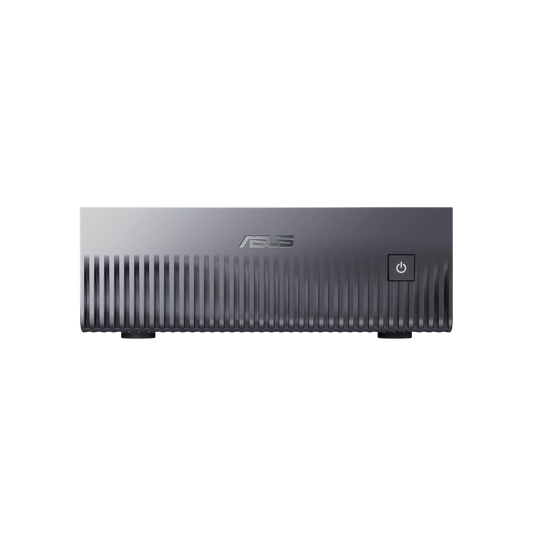
Mini AI Workstation NVIDIA GB10 — ASUS Ascent GX10
✅ Llama 4 Maverick FP16 · DeepSeek V4 Flash FP16 · 200B+ Models
The most compact home AI workstation on the market—book-sized, silent, uses only a standard power outlet. 128 GB of unified memory allows loading models that even an RTX 5090 (32 GB) cannot hold. GB10 architecture: CPU and GPU fused via NVLink-C2C at 900 GB/s.
Delivered ready to use · DGX OS · Native Ollama
Configure this server →
AI Workstation CoreAI 16 — RTX 5060 Ti 16 GB
✅ Qwen 3.5 14B · Llama 4 Scout 17B · Phi-4 14B · Mistral Medium 3.5
Measured speed: 40-70 tokens/second
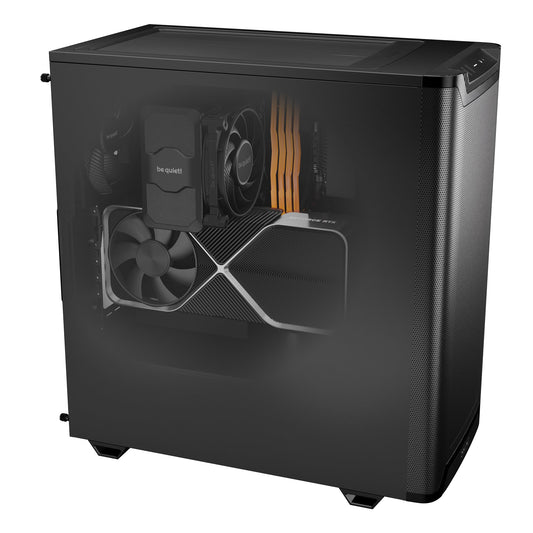
The ideal entry point for a first home AI workstation. 16 GB GDDR7—the 2026 sweet spot—for 14B models on GPU without overflow. Compact and quiet tower for a home office. Upgradeable AM5 DDR5 platform (possible upgrade to Ryzen 9 later).
Case, RAM, SSD fully customizable
Configure this workstation →
AI Workstation CoreAI 32 — RTX 5070 Ti 16 GB
✅ Qwen 3.5 32B · Gemma 4 26B · Qwen2.5-Coder 32B (92.7% HumanEval)
Measured speed: 25-45 tokens/second
The versatile station for freelance developers and creators. 1.9× higher memory bandwidth than the RTX 5060 Ti for 26-32B models. Ryzen 9 9900X (12 cores) for RAG pipelines, n8n, ComfyUI, and intensive AI + office multitasking.
Ideal for AI developers, freelancers, content creators
Configure this workstation →
AI Workstation CoreAI 64 — RTX 5090 32 GB
✅ Llama 3.3 70B Q4 · Qwen 3.5 72B Q4 · DeepSeek V4 Flash
Measured speed: 15-30 tokens/s on 70B · Also great for 4K gaming
The best consumer AI workstation in 2026. Record memory bandwidth (1,792 GB/s) for 70B Q4 models running entirely on GPU — near GPT-4o quality locally. The 9950X3D also excels in gaming and content creation: one machine, two premium uses.
LoRA fine-tuning possible · Native 4K gaming
Configure this workstation →
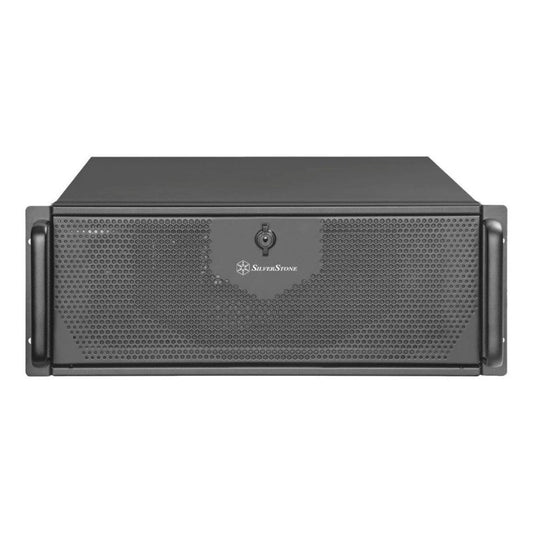
Radiance CoreAI Rack — 2× RTX 5090 (64 GB VRAM)
✅ Llama 3.3 70B FP16 · Qwen 3.5 235B Q4 · LoRA 70B Fine-tuning · Simultaneous multi-model
The home AI mini-lab. 64 GB of total VRAM to run multiple models in parallel or load them in native precision. Ideal for independent researchers, experienced AI freelancers, or creators who want multi-model (simultaneous LLM + Stable Diffusion + TTS).
Custom-built · 4U Rack · Serious fine-tuning
Configure this rack →
Pro Ultra AI Workstation — Threadripper PRO
✅ All models · Serious fine-tuning · Distributed training · Home HPC
For advanced users who want a true home mini-data center. Threadripper PRO sTR5 platform expandable up to 96 cores and 2 TB ECC RAM. Ideal for independent researchers, AI agency creators, or very advanced enthusiasts who want a future-proof machine for 5+ years.
Custom-built · Personalized quote · Installation possible
Request a quote →Which home AI workstation for your profile?
AI / Data Science Student
Learning frameworks (PyTorch, Hugging Face), experimenting with 7-14B models, course projects. The CoreAI 16 RTX 5060 Ti 16 GB (~€1,700) is sufficient for 95% of student needs.
Freelance Developer / AI Agency
Code assistance (Qwen2.5-Coder 32B), client prototypes, quick demos. The CoreAI 32 RTX 5070 Ti (~€2,400) or the CoreAI 64 RTX 5090 (~€6,000) depending on your activity level.
Content Creator / Digital Artist
Stable Diffusion, Flux, ComfyUI, video generation (LTX-Video, Hunyuan), TTS. The RTX 5090 is unbeatable — CoreAI 64 RTX 5090 (~€6,000). Bonus: also great for 4K/8K editing.
Independent Researcher / Advanced Enthusiast
Serious fine-tuning, experimenting with 70B+ models, reproducing papers. Rack 2× RTX 5090 (~€11,000) for 64 GB VRAM or GB10 ASUS Ascent GX10 for 200B+ models.
Freelancer / Consultant handling sensitive data
Lawyer, accountant, doctor, consultant: your client data cannot go on ChatGPT. CoreAI 16 or 32 RTX 5060/5070 Ti (~€1,700-€2,400) + Open WebUI = complete GDPR solution.
Gamer + AI curious
You want a machine that does everything: AAA 4K gaming, streaming, and local AI in parallel. The CoreAI 64 RTX 5090 (~€6,000) is the best consumer machine of 2026, all uses combined.
Recommended software stack for a home AI workstation in 2026
- OS: Ubuntu 24.04 LTS (optimal CUDA) or Windows 11 Pro + WSL2 (mixed-use compromise)
- Drivers / runtime: NVIDIA driver 570+, CUDA Toolkit 12.8+, cuDNN 9.x
- Containerization: Docker + NVIDIA Container Toolkit (isolated workloads)
- Local inference: Ollama (easy chatbot), vLLM 0.6+ (production API server), llama.cpp (CPU offload)
- Interface: Open WebUI (ChatGPT-like web front, native RAG)
- Image generation: ComfyUI + Flux / SD3.5 models
- ML frameworks: PyTorch nightly (Blackwell support), Hugging Face Transformers, Diffusers
- Environments: Miniforge + mamba (isolated per project)
- Security: UFW + fail2ban + LUKS disk encryption + SSH key-only
Frequently Asked Questions — Home AI Workstation
What budget for a home AI workstation in 2026?
To seriously start with 14B models (Qwen 3.5, Llama 4 Scout), expect ~€1,700 to €2,400 (RTX 5060 Ti 16 GB or RTX 5070 Ti). For 70B models and absolute versatility (AI + 4K gaming + creation), ~€6,000 (RTX 5090 32 GB). For a home mini-lab, €11,000 to €20,000.
Should I really go through an assembler or build it myself?
If you're very tech-savvy, building it yourself can save 5-10%. But you lose the system warranty, integrated after-sales service, and testing time. A specialized assembler like Radiance Systems delivers a machine tested under AI load for several hours before shipping, with Ollama and models already installed. For professional use or if your time is valuable, it's largely worth it.
What is the power consumption of a home AI workstation?
A CoreAI 16 RTX 5060 Ti consumes ~250 W under AI load (~€30/year for 2h/day at €0.20/kWh in France). A CoreAI 64 RTX 5090 reaches ~700 W under load (~€80/year). The mini GB10 remains under 250 W despite its 128 GB of memory. Much cheaper than a cloud GPU subscription.
Does a home AI workstation make noise?
With good cooling (360mm AIO watercooling, silent be quiet! or Fractal Design case), an AI workstation runs at 35-40 dB under load — comparable to an office PC. The mini GB10 is passively/near-silently cooled by design. For 4U dual-GPU rack configurations, it's better to install them in a dedicated room.
Can Stable Diffusion / Flux run alongside an LLM on the same machine?
Yes, that's one of the big advantages of a home AI workstation. With 16 GB of VRAM you can switch between them; with 32 GB (RTX 5090) you can have a 14B LLM + ComfyUI loaded simultaneously. For true multi-model parallelism, the 2× RTX 5090 rack configuration (64 GB total) is ideal.
How do I access my AI workstation remotely?
Several options: SSH (secure tunnel for developers), Tailscale (ultra-simple mesh VPN, access from anywhere), Open WebUI exposed via Cloudflare Tunnel (encrypted web interface from your phone). All of this can be pre-configured upon delivery.
Does my AI workstation take up a lot of space?
A mid-tower (CoreAI 16/32/64) is approximately 45×22×46 cm — equivalent to a high-end office PC. The GB10 ASUS Ascent GX10 fits on a desk mat (15×15 cm). 4U rack configurations are larger but can be installed in a closet or technical room.