PC for Stable Diffusion 2026: Which GPU for Flux, SDXL, and ComfyUI?
Do you want to build a PC for Stable Diffusion in 2026? The AI image generation ecosystem has exploded: Flux.1 Dev, Flux.2, SD 3.5 Large, SDXL, Qwen Image are now essential creative tools for illustrators, photographers, designers, and content creators. But behind the magic, there's a technical reality: VRAM is the decisive factor, much more so than raw GPU power. This guide explains exactly what hardware to choose based on your usage, preferred model, and budget.
Why Has Stable Diffusion Become So Demanding in 2026?
In 2024, a GPU with 8GB of VRAM was largely sufficient for SD 1.5 and even SDXL. In 2026, the situation has changed radically with the arrival of Flux (Black Forest Labs) and SD 3.5 Large (Stability AI):
- Flux.1 Dev: 12B parameters, requires 12-16GB of VRAM minimum at 1024×1024 in FP16
- Flux.2 Dev (January 2026): 4B models (13GB VRAM) and 9B (29GB VRAM)
- SD 3.5 Large: MMDiT architecture, ~12GB in FP16, ~7GB in FP8
- SDXL: 6-8GB in FP16, still the workhorse for mid-range
- SD 1.5: runs on almost anything (4GB is enough)
VRAM Needed Per Model (2026 Reference)
| Model | Native FP16 | Quantized FP8 | Use Case |
|---|---|---|---|
| SD 1.5 | ~4 GB | N/A | Anime style, rapid prototyping |
| SDXL 1.0 | 7-8 GB | N/A (already compact) | Versatile standard · Pony / Illustrious |
| SD 3.5 Medium | ~6 GB | ~4 GB | Better text than SDXL |
| SD 3.5 Large | ~12 GB (tight) | ~7 GB (comfortable) | Photo quality, precise text |
| Flux.1 Dev ⭐ | ~16 GB | ~13 GB | 2026 quality reference · perfect text |
| Flux.1 Schnell | ~14 GB | ~10 GB | 4 steps · ultra fast · batches |
| Flux.2 Klein 4B (Jan. 2026) | ~13 GB | ~9 GB | Sub-1s on high-end · production |
| Flux.2 Klein 9B (Jan. 2026) | ~29 GB | ~18 GB | RTX 5090 only (FP16) |
| Qwen Image | ~14-16 GB | ~10 GB | Top Chinese/English text quality |
Sources: WillItRunAI (April 2026), Compute-Market (April 2026), SolidAITech (May 2026). VRAM measured at 1024×1024, batch 1, model + VAE + text encoder + working memory.
Real GPU Benchmarks — IT/s on Stable Diffusion in 2026
| GPU | VRAM | SDXL 1024px | Flux Dev 1024px | 2026 Verdict |
|---|---|---|---|---|
| RTX 5060 Ti 8 GB | 8 GB | ~7 s | ❌ OOM in FP16 | Avoid for SD |
| RTX 5060 Ti 16 GB ⭐ | 16 GB | ~5 s | ~28 s (FP8) | ✅ Beginner sweet spot |
| RTX 5070 Ti 16 GB | 16 GB | ~3.5 s | ~15 s (FP8) | ✅ Good balance |
| RTX 5080 16 GB | 16 GB | ~2.8 s | ~11 s | ✅ Top mid-range |
| RX 9070 XT 16 GB | 16 GB | ~5.5 s | ⚠️ Limited (ROCm) | ⚠️ No training |
| RTX 5090 32 GB ⭐ | 32 GB | ~2.2 s | ~7 s (Native FP16) | ✅ Absolute reference |
| RTX 6000 Pro 96 GB ECC | 96 GB ECC | ~3 s | ~9 s | ✅ Pro / Flux 2 Training |
Sources: DatabaseMart, FormulaMod (April 2026), Compute-Market (April 2026), ComfyUI community benchmarks. Measurements in ComfyUI at 1024×1024, 20-28 steps, batch 1.
Beyond the GPU: What Else Matters
System RAM — 32GB Minimum, 64GB Recommended
For ComfyUI with multiple loaded models, ControlNet extensions, and LoRAs, 32GB DDR5 is the practical minimum. 64GB offers true comfort for complex multi-model workflows. DDR5-6000 significantly improves initial checkpoint loading times.
Fast NVMe SSD — Large Models
A Flux checkpoint weighs 24GB in FP16, an SDXL checkpoint weighs 7GB, and a complete collection quickly reaches 300-500GB (base models + fine-tuned checkpoints + LoRAs + ControlNets). Count on 1TB NVMe Gen 4 minimum, 2TB for serious users. A slow SSD turns a model change into a coffee break.
CPU — Less Critical But Useful
Stable Diffusion inference is overwhelmingly GPU-bound. A recent Ryzen 5 or Ryzen 7 is more than enough. For complex workflows (ComfyUI + Krita + DaVinci Resolve simultaneously), a Ryzen 9 9900X or 9950X3D provides added comfort.
Power Supply — Oversized
The RTX 5090 consumes up to 575W at peak. With a Ryzen 9, count on 1,200W 80+ Gold minimum. For dual-GPU, 2,000W Platinum. Don't skimp on the PSU — it's the component that can kill all others in case of failure.
ComfyUI or Automatic1111 in 2026?
For a new PC in 2026, the choice has become clear:
- ComfyUI — recommended. Node-based architecture, efficient memory management (load/unload on demand), TensorRT support for +30-60% speed, huge community, native Flux/SD3.5/Qwen support, natively supports FP8 and GGUF quantized models.
- Forge UI (A1111 fork) — valid alternative, easier to learn. Excellent VRAM management, supports Flux.
- Automatic1111 — historical, simple, but becoming dated. Tends to keep more in VRAM, can crash on complex workflows.
- InvokeAI / Krita AI — for integrated illustration / photo editing workflows.
Quick ComfyUI Installation on Your PC
# Clone ComfyUI
git clone https://github.com/comfyanonymous/ComfyUI
cd ComfyUI

# Install PyTorch with CUDA support
pip install torch torchvision torchaudio --index-url https://download.pytorch.org/whl/cu128

# Install dependencies
pip install -r requirements.txt

# Download a model (example: Flux.1 Dev FP8)
# Place in ComfyUI/models/diffusion_models/

# Launch ComfyUI
python main.py
--use-pytorch-cross-attention when launching ComfyUI to save 15-25% VRAM on Blackwell architectures (RTX 50xx). TensorRT acceleration can boost performance by +30-60% on repetitive workflows.The Specific Case of LoRA Training
Generating images is one thing. Training your own LoRAs (personal style, recurring character, product for e-commerce photos) requires significantly more VRAM:
| Base model | Min VRAM | Comfort VRAM | Duration (30 images) |
|---|---|---|---|
| SD 1.5 LoRA | 8 GB | 12 GB | 30-60 min |
| SDXL LoRA | 12 GB (tight) | 16-24 GB | 1-3 h (depending on GPU) |
| SD 3.5 Large LoRA | 16 GB (FP8) | 24 GB | 2-4 h |
| Flux.1 LoRA | 24 GB | 32 GB | 3-6 h |
| Flux.2 LoRA | 32 GB | 48-96 GB | 4-8 h |
Our PCs dedicated to Stable Diffusion / ComfyUI — assembled in France
Radiance Systems designs workstations specially configured for AI image generation and LoRA training. ComfyUI + popular models (SDXL, Flux Dev FP8, ControlNets) pre-installed on request. You start your PC, you generate your first image in less than 2 minutes.

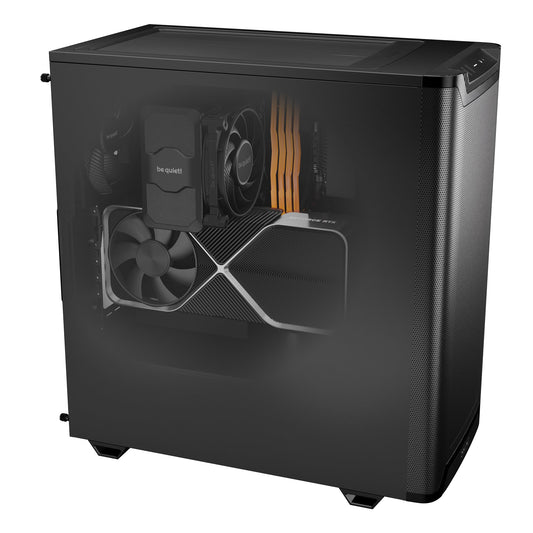
Radiance PC CoreAI 16 — RTX 5060 Ti 16 GB
✅ Native SDXL (~5s/image) · Flux Dev FP8 (~28s) · SD 3.5 Medium · SD 1.5 LoRA training
The ideal entry point for Stable Diffusion in 2026. 16 GB GDDR7 — the practical minimum — to comfortably run SDXL and Flux in FP8 without OOM. Scalable AM5 platform: GPU upgrade possible later.
ComfyUI + SDXL + Flux Dev FP8 pre-installable
Configure this workstation →
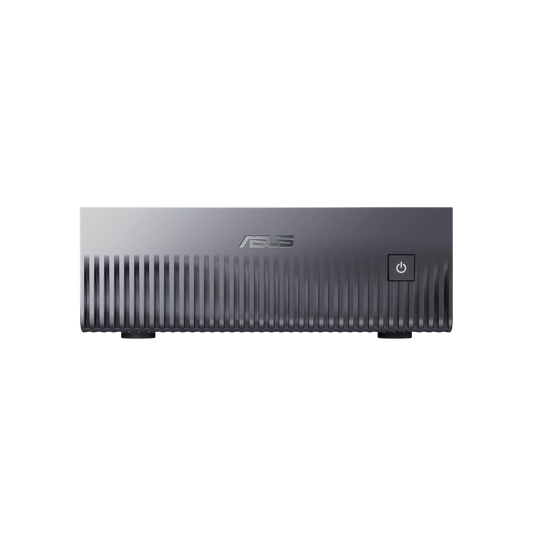
Radiance PC CoreAI 32 — RTX 5070 Ti 16 GB
✅ SDXL ~3.5s/image · Flux Dev FP8 ~15s · SDXL LoRA training · Multi-model ControlNet
The versatile workstation for serious illustrators and content creators. 1.9× higher bandwidth for smooth batch generations. 32 GB DDR5 6000 MHz for complex multi-model workflows (ComfyUI + several ControlNets + simultaneous LoRAs).
Native SDXL LoRA training · Advanced ComfyUI workflows
Configure this workstation →
⭐ Radiance PC CoreAI 64 — RTX 5090 32 GB
✅ SDXL ~2.2s · Flux Dev FP16 ~7s · Flux 2 Klein 9B · Flux LoRA training · Unlimited ControlNet
The best consumer workstation for Stable Diffusion in 2026. 32 GB GDDR7 — the only consumer GPU capable of Flux.2 Klein 9B in FP16. Record bandwidth 1,792 GB/s. Multi-model workflows, batches of 4-8 Flux Dev images, native Flux LoRA training. Bonus: also excellent for 4K gaming and video creation.
Flux LoRA training · All ComfyUI workflows without compromise
Configure this workstation →
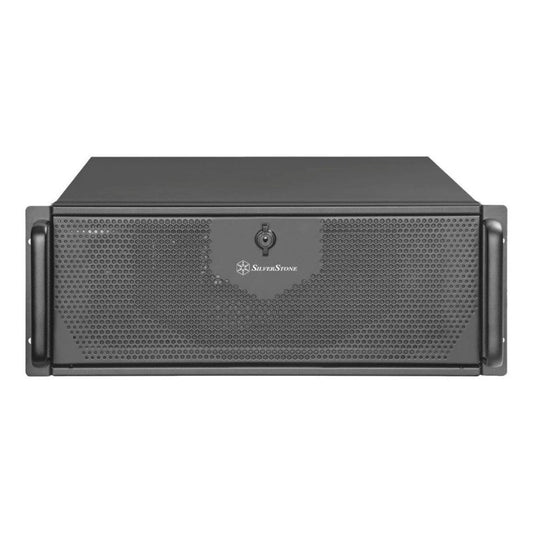
Radiance CoreAI Rack — 2× RTX 5090 (64 GB VRAM)
✅ Massive batch generation · 2 simultaneous models · Parallel SDXL + Flux training
For studios, creative agencies, and professional freelancers who do high-volume production. 2× independent RTX 5090s: one GPU for current generation, the other for LoRA training or next batch pre-rendering. No downtime.
Studio production · Parallel pipelines · 4U Rack
Configure this rack →
CoreAI 128 Rack — 2× RTX 6000 PRO Blackwell (192 GB ECC)
✅ Native Flux 2 Klein 9B FP16 · Fine-tuning base models · AI video · 24/7 Production
The ultimate workstation for professional AI image production studios. 192 GB of ECC VRAM allows for full fine-tuning of base models (not just LoRAs), massive Flux batches, and AI video generation (Hunyuan, LTX-Video). Maximum reliability for continuous production.
Pro studios · Fine-tuning base models · Continuous production
Configure this rack →
Radiance PC Pro AI Ultra Threadripper
✅ Fine-tuning · AI video generation · HPC pipelines · Research / R&D
For researchers, VFX studios, and AI agencies who do it all: image generation, AI video, fine-tuning, research. Threadripper PRO sTR5 platform expandable up to 96 cores and 2 TB ECC RAM. The sustainable machine for 5+ years.
Custom-made · Personalized quote · On-site installation
Request a quote →Which Stable Diffusion PC for your profile?
| Profile | Configuration | Target Models | Budget |
|---|---|---|---|
| Discovery / hobby | CoreAI 16 RTX 5060 Ti 16 GB | SDXL, Flux Dev FP8 | ~€1,700 |
| Freelance illustrator | CoreAI 32 RTX 5070 Ti | SDXL + LoRA training, Flux FP8 | ~€2,400 |
| Serious creator / pro ⭐ | CoreAI 64 RTX 5090 32 GB | Flux Dev FP16, Flux 2, Flux LoRA training | ~€6,000 |
| Studio / creative agency | Rack 2× RTX 5090 | Batch production, parallel training | ~€11,000 |
| Pro studio / VFX | Rack 2× RTX 6000 ECC | Fine-tuning base, AI video, Flux 2 9B | ~€28,000 |
Frequently Asked Questions — PCs for Stable Diffusion
What is the minimum GPU for Stable Diffusion in 2026?
To comfortably run SDXL, 12 GB of VRAM minimum (RTX 5070 12 GB). For Flux, the 2026 standard is 16 GB (RTX 5060 Ti 16 GB or RTX 5070 Ti). 8 GB cards have become a dead end for serious AI image generation — you will constantly be limited by OOM errors and model offloading which slows everything down.
RTX 5090 vs RTX 4090 for Stable Diffusion?
The RTX 5090 is ~45% faster on SDXL and ~55% faster on Flux than the RTX 4090. Crucially, it has 32 GB vs 24 GB of VRAM — a critical difference for Flux.2 Klein 9B which requires 29 GB in FP16 and only runs on the 5090. For pure SDXL, the 4090 remains excellent. For Flux and the future, the 5090 is the lasting investment.
Can Stable Diffusion be run on an AMD GPU?
Technically yes, via ROCm. In practice: performance is ~50-70% of an equivalent NVIDIA, many ComfyUI extensions don't work, and LoRA training is very limited (bitsandbytes and Flash Attention do not have mature AMD support). For a PC dedicated to Stable Diffusion in 2026, NVIDIA remains mandatory.
Can Stable Diffusion be run on a Mac (Apple Silicon)?
Yes, via MPS (Metal Performance Shaders). A Mac M4 Pro 24 GB handles Flux FP8 comfortably, an M4 Max 48-64 GB can do Flux FP16. But the speed is 2 to 4× slower than an equivalent NVIDIA, and training is almost impossible. For occasional generative use on an existing Mac: OK. For a dedicated investment: NVIDIA.
What is the difference between FP16, FP8, and GGUF for Flux?
FP16 is the model's native precision, perfect quality, ~33 GB VRAM for Flux. FP8 halves the VRAM (~16 GB for Flux Dev) with an almost imperceptible quality loss — this is what most 2026 users use. GGUF is a more aggressive quantization (~10-13 GB for Flux) with a slight visible degradation, useful for fitting Flux on 12 GB of VRAM.
How long does it take to generate an image in 2026?
On RTX 5090: SDXL in ~2.2s, Flux Dev FP16 in ~7s, Flux 2 Klein 4B in less than 1s. On RTX 5060 Ti 16 GB: SDXL ~5s, Flux Dev FP8 ~28s. On RTX 5080: SDXL ~2.8s, Flux Dev ~11s. For fluid interactive workflows (rapid prompt modification), aim for under 10 seconds per image.
Should I use Windows or Linux for Stable Diffusion?
Both work. Linux (Ubuntu 24.04) offers the best raw performance and optimal CUDA support for ComfyUI. Windows 11 simplifies daily use and works very well too. Our workstations are delivered with the OS of your choice, ComfyUI installed and configured with the models you want.
Can AI video (Hunyuan, LTX-Video) be run on these PCs?
Yes. Hunyuan Video and LTX-Video are compatible with ComfyUI. An RTX 5090 32 GB generates a few seconds of footage in a few minutes. For serious AI video, aim for at least the RTX 5090, ideally the Rack 2× RTX 5090 or the RTX 6000 ECC configurations which offer the necessary VRAM for longer sequences.