PC for Ollama 2026: what hardware to run your LLMs locally?
In 2026, Ollama has become the go-to tool for running LLMs locally — a single command to download a model, an OpenAI-compatible API on localhost:11434, and the ability to run Llama 4, Qwen 3.5, DeepSeek V4, or Gemma 4 directly on your own machine. But what kind of PC do you need to get truly usable performance? This guide answers that question precisely, with real benchmarks and tested hardware recommendations.
What is Ollama and why is everyone using it in 2026?
Ollama is an open-source LLM runtime that downloads, runs, and exposes AI models locally — entirely on your machine, without any cloud connection. Its adoption exploded in 2026 for three reasons:
- One command to get started. No complex setup, no managing weights, quantization, or runtime compilation.
-
OpenAI-compatible API. Any application designed for ChatGPT can switch to Ollama by just changing the URL —
localhost:11434instead ofapi.openai.com. -
Library of 500+ models. Llama 4 Scout, Qwen 3.5, DeepSeek V4, Gemma 4, Mistral, Phi-4, Qwen2.5-Coder — all available with a single
ollama pullcommand.
Installation is a one-liner:
curl -fsSL https://ollama.com/install.sh | sh
ollama pull qwen3:14b
ollama run qwen3:14b
In less than 5 minutes, you have a functional local LLM — accessible from your browser (via Open WebUI), from your code editor, or from any application via the REST API.
The critical factor for Ollama: VRAM
Ollama loads model weights into GPU memory. If everything fits in VRAM, you get 40 to 80 tokens/second on an RTX 5060 Ti 16 GB. If the model spills over to system RAM, performance collapses:
Conclusion: It's better to choose a smaller model that fits entirely in VRAM than a large model that overflows. A Qwen 3.5 14B at 60 tok/s is more useful than a Llama 3.3 70B that crawls at 4 tok/s.
VRAM required depending on the Ollama model (Q4_K_M, May 2026)
| GPU VRAM | Compatible Models | 2026 Examples | Approx. Speed |
|---|---|---|---|
| 5-8 GB | Up to 9B | Llama 3.1 8B, DeepSeek-R2 8B, Qwen3 8B, Gemma 3 4B | 40-90 tok/s |
| 12 GB | Up to 17B MoE | Llama 4 Scout 17B, Gemma 3 12B | 30-50 tok/s |
| 16 GB ⭐ Sweet spot | 13B-14B dense / 17B MoE | Qwen 3.5 14B, Mistral Medium 3.5, Phi-4 14B | 40-70 tok/s |
| 20 GB | Up to 32B | Qwen2.5-Coder 32B, DeepSeek-R1 32B | 25-40 tok/s |
| 24 GB | Up to 27B comfortably | Gemma 4 26B QAT (85 tok/s measured) | 30-60 tok/s |
| 32 GB (RTX 5090) | Up to 70B in Q4 | Llama 3.3 70B (86.0 MMLU), Qwen 3.5 72B | 15-30 tok/s |
| 48 GB+ (multi-GPU) | 70B FP16 or Q5/Q6 | Llama 3.3 70B FP16 with 32K context | 10-20 tok/s |
| 128 GB unified (GB10) | 200B+ Models | DeepSeek V4 Flash FP16, Llama 4 Maverick | 20-40 tok/s |
Sources: Actual Ollama benchmarks from Morph (April 2026), glukhov.org (RTX 4080 16 GB, March 2026), LocalAIMaster (March 2026). VRAM measured at 8K-19K context with Q4_K_M quantization. Actual values vary depending on the loaded context.
Best Ollama models in May 2026 by category
| Category | Recommended Model | Ollama Command | VRAM |
|---|---|---|---|
| General purpose | Llama 4 Scout 17B | ollama pull llama4:scout |
~10 GB |
| French / multilingual | Qwen 3.5 14B | ollama pull qwen3.5:14b |
~10 GB |
| Pure speed (85 tok/s) | Gemma 4 26B QAT | ollama pull gemma4:26b |
~14 GB |
| Code ⭐ #1 open source | Qwen2.5-Coder 32B | ollama pull qwen2.5-coder:32b |
~20 GB |
| Math/logic reasoning | DeepSeek-R2 8B | ollama pull deepseek-r2:8b |
~5 GB |
| STEM / structured analysis | Phi-4 14B (80.4% MATH) | ollama pull phi4 |
~10 GB |
| Small / light | Llama 3.1 8B (111M+ downloads) | ollama pull llama3.1:8b |
~5 GB |
| Maximum quality | Llama 3.3 70B (86.0 MMLU) | ollama pull llama3.3:70b |
~40 GB |
Beyond the GPU: what else matters for Ollama
System RAM (DDR5 >> DDR4)
If your model overflows to system RAM, its speed directly depends on memory bandwidth. DDR5-6000 offers 15-25% more performance than DDR4-3200 in CPU offloading mode. For Ollama, prioritize at least 32 GB DDR5 on an AM5 platform.
Fast NVMe SSD
Ollama models range from 5 GB (Llama 3.1 8B) to 40 GB (Llama 3.3 70B). A Gen 4 NVMe SSD loads a 14B model in 5-8 seconds on the first ollama run. On a SATA SSD, expect 30-60 seconds.
CPU and threads
For pure-GPU inference, the CPU matters little. But as soon as there is CPU offloading or RAG (retrieval augmented generation), a Ryzen 7 or 9 with 12-16 cores makes a difference. AVX-512 (Intel 12th Gen+, AMD Zen 4+) accelerates CPU inference by 10-20%.
Essential Ollama commands
# Install Ollama (Linux/macOS)
curl -fsSL https://ollama.com/install.sh | sh

# Download and run a model
ollama pull qwen3.5:14b
ollama run qwen3.5:14b

# List installed models
ollama list

# Stop a model (free up VRAM)
ollama stop qwen3.5:14b

# See GPU/CPU usage
OLLAMA_DEBUG=1 ollama run llama3.1:8b "test" 2>&1 | grep "layers"

# Force a specific number of GPU layers
ollama run llama3.1:8b --gpu-layers 28
Common mistakes to avoid
- Choosing Q2_K to fit a large model — severe quality degradation. A 34B Q6_K model is better than a 70B Q2_K.
- Ignoring the KV cache — an 8B model with 32K context requires ~4.5 GB extra for the attention cache. Leave 2-4 GB of VRAM margin.
-
Loading multiple models simultaneously — Ollama keeps them in VRAM by default. Use
ollama stopto free them. - Underestimating RAM — 32 GB DDR5 minimum for serious use. 64 GB for 30B+ models with CPU offloading.
Our PCs optimized for Ollama — pre-configured with Ollama + Open WebUI
Radiance Systems designs workstations dedicated to local LLM inference. Each machine is delivered with Ollama and Open WebUI pre-installed and configured on request, with your chosen models already downloaded. You start your PC and chat with your AI in less than 2 minutes.

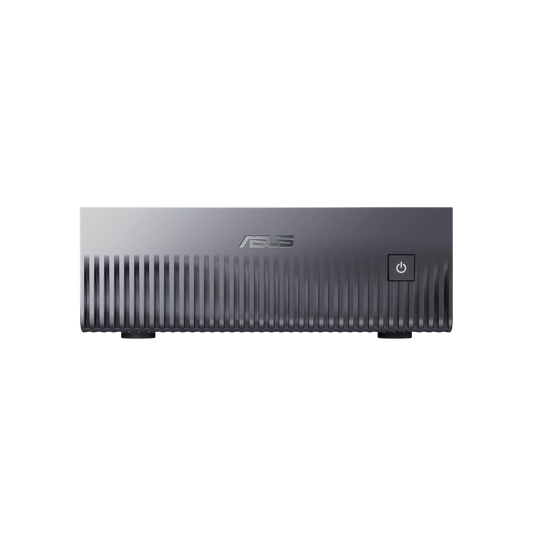
NVIDIA GB10 AI Mini Server — ASUS Ascent GX10
✅ Llama 4 Maverick FP16 · DeepSeek V4 Flash FP16 · Models up to 200B parameters
The only desktop system capable of running models that even an RTX 5090 cannot hold in VRAM. 128 GB of unified memory, GPU and CPU fused via NVLink-C2C at 900 GB/s. Ideal for a demanding office requiring maximum capacity in an ultra-compact and silent format.
Delivered ready to use · DGX OS · Native Ollama
Configure this server →
Radiance PC CoreAI 16 — RTX 5060 Ti 16 GB
✅ Qwen 3.5 14B · Mistral Medium 3.5 · Llama 4 Scout 17B · Phi-4 14B
Measured speed: 40-70 tokens/second
The 2026 sweet spot for Ollama. 16 GB GDDR7 to run 14B models entirely on GPU without CPU offloading. AM5 DDR5 platform for RAG pipelines. Ideal entry point for a freelancer.
Ollama + Open WebUI pre-installed on request
Configure this workstation →
Radiance PC CoreAI 32 — RTX 5070 Ti 16 GB
✅ Qwen2.5-Coder 32B (92.7% HumanEval) · Gemma 4 26B · DeepSeek-R1 32B
Measured speed: 25-45 tokens/second
For demanding developers and professionals. 1.9× higher memory bandwidth than RTX 5060 Ti, ideal for 27B-32B models. The Ryzen 9 9900X handles RAG pipelines and n8n orchestration in parallel.
Models pre-downloaded on request (Qwen3.5, Mistral, DeepSeek)
Configure this workstation →
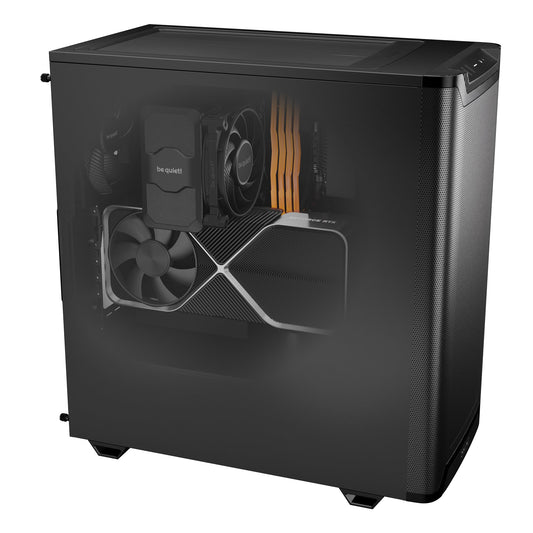
Radiance PC CoreAI 64 — RTX 5090 32 GB
✅ Llama 3.3 70B Q4 (86.0 MMLU) · Qwen 3.5 72B · DeepSeek V4 Flash
Measured speed: 15-30 tokens/second on 70B
The best consumer GPU for Ollama in 2026. 1,792 GB/s memory bandwidth — a record in the consumer market. Llama 3.3 70B Q4 entirely on GPU, near-GPT-4o performance on most tasks.
Light fine-tuning possible · LoRA compatible
Configure this workstation →
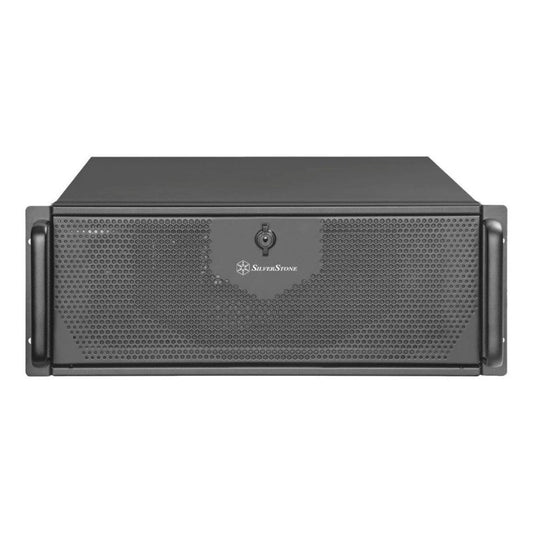
Radiance CoreAI Rack — 2× RTX 5090 (64 GB VRAM)
✅ Llama 3.3 70B FP16 · Qwen 3.5 235B Q4 · Simultaneous multi-GPU inference
For teams of 5 to 20 users sharing an Ollama server. Concurrent inference on two independent GPUs — each user has their dedicated stream. Ideal for firms with multiple collaborators.
Custom-built · 4U Rack · Ollama multi-tenant server
Configure this rack →
CoreAI 128 Rack — 2× RTX 6000 PRO Blackwell (192 GB ECC)
✅ All Ollama models in native precision · Fine-tuning 70B+ · 24/7 Production
Professional GPUs with ECC memory for continuous production. 192 GB of ECC VRAM allows running the largest open-source models in native precision (FP16). Maximum reliability for critical environments.
On-site installation possible · Dedicated support
Configure this rack →
Radiance PC Pro AI Ultra Threadripper
✅ Distributed training · Massive RAG pipelines · HPC · Intensive fine-tuning
The ultimate workstation for demanding production environments. Threadripper PRO sTR5 platform scalable up to 96 cores and 2 TB of ECC RAM. For mixed workloads: Ollama + vector databases + n8n orchestration + training.
Custom-built · Personalized quote · On-site installation
Request a quote →Which PC for Ollama according to your profile?
| Profile | Configuration | Typical Ollama Model | Budget |
|---|---|---|---|
| Discovery / small personal use | RTX 5060 Ti 16 GB (CoreAI 16) | Qwen 3.5 14B, Llama 4 Scout | ~€1,700 |
| Compact professional practice ⭐ | ASUS Ascent GX10 (GB10) | DeepSeek V4 Flash FP16, 200B+ | ~€4,000 |
| Developer / data scientist | CoreAI 32 RTX 5070 Ti | Qwen2.5-Coder 32B, DeepSeek-R1 32B | ~€2,400 |
| 70B models locally | CoreAI 64 RTX 5090 | Llama 3.3 70B Q4 | ~€6,000 |
| Team of 5-20 shared users | Rack 2× RTX 5090 | Llama 3.3 70B FP16, multi-tenant | ~€11,000 |
| Critical 24/7 production | Rack 2× RTX 6000 ECC | All models, native FP16 | ~€28,000 |
Ollama Use Cases by Profession
- Lawyers & notaries — Qwen 3.5 14B + Open WebUI: contract analysis, client file searches, drafting legal documents. All local, GDPR compliant and professional secrecy.
- Doctors & clinics — Mistral Medium 3.5 + RAG: dictated reports, patient history analysis, medical documentation database. No data reaches a cloud server.
- Accountants — DeepSeek-R2 8B + Phi-4 14B: balance sheet analysis, anomaly detection, report generation. Confidential figures never uploaded elsewhere.
- Developers — Qwen2.5-Coder 32B + Ollama API: code completion in VS Code/Cursor, debugging, refactoring. OpenAI-compatible API, 3-line integration.
- SMEs & businesses — Llama 4 Scout + n8n + vector database: internal AI assistant connected to your documents, procedures, CRM. Deployment on a private network.
Frequently Asked Questions — PCs for Ollama
What is the minimum GPU for Ollama?
8 GB of VRAM (RTX 4060, RTX 5060) is sufficient for 7-8B models like Llama 3.1 8B or DeepSeek-R2 8B. But the 2026 sweet spot is 16 GB of VRAM (RTX 5060 Ti 16 GB or RTX 5070 Ti) — you gain access to 13-14B and 17B MoE models like Qwen 3.5 14B, Mistral Medium 3.5 or Llama 4 Scout, which offer significantly higher quality for only a €200-€400 price difference in GPU.
Does Ollama work without a dedicated GPU?
Yes, Ollama can run on CPU only. But speeds drop to 3-8 tokens/second on a 7B model with a modern CPU — frustrating for interactive use. A GPU with 8 GB+ of VRAM is highly recommended for a fluid experience (30+ tok/s).
How do I know if my model fits in VRAM?
Run OLLAMA_DEBUG=1 ollama run [model] "test" — the logs will indicate how many layers are loaded to GPU vs CPU. If less than 100% are on GPU, your model is too large. Choose a lower quantization (Q4_K_M minimum) or a smaller model.
Do I need Windows or Linux for Ollama?
Both work very well. Linux (Ubuntu) offers the best raw performance and optimal CUDA support. Windows 11 simplifies daily use and is compatible with WSL2 for developers. Our workstations come with the OS of your choice.
What interface should I use with Ollama?
Open WebUI is the most popular web interface in 2026 — chatGPT-like, deployable via Docker, native document RAG management. LM Studio offers a desktop alternative with integrated GUI. Our Radiance PCs can be delivered with either pre-installed according to your preference.
Can I do fine-tuning on these Ollama PCs?
LoRA fine-tuning (parameter-efficient) is possible from 16 GB of VRAM for 7B-8B models. For serious fine-tuning on 14B-32B, you need 24 GB+ (CoreAI 32 or higher). For 70B+ models, expect 48 GB+ with multi-GPU.