PC for LM Studio 2026: Local AI Without the Command Line
There are dozens of ways to run an LLM locally in 2026. But LM Studio is the only one that requires no command line, no terminal, no YAML configuration. It's a desktop application — you install it like Word, open it, find a model, click, and chat. LM Studio has become the go-to tool for anyone who wants local AI without becoming a developer.
This blog post is different from our Ollama or ComfyUI guides. We won't explain how to install Python. We won't talk about Docker containers. We'll tell you which PC to choose so that LM Studio runs smoothly and enjoyably — from the first click to the first response.
LM Studio in 2026: an app, not a developer tool
LM Studio is an all-in-one desktop application available on Windows, macOS, and Linux. Version 2026.4 is the most advanced to date — here's what makes it unique:
Integrated Hugging Face browser
Search and download any GGUF model directly within the app, with real-time GPU compatibility indicators based on your VRAM. No need to go to the web anymore.
Visual layer-by-layer GPU allocation
An interactive slider shows you how many layers are on GPU vs CPU, with real-time speed impact displayed. Unique among all local LLM tools — even developers envy it.
Side-by-side model comparison
Send the same prompt to two models in parallel and compare quality, style, and speed side-by-side. A key feature for researchers and professionals who want to choose the right model.
OpenAI-compatible API server in one click
Activate a local server on localhost:1234 in one click — OpenAI API compatible. Cursor, Continue.dev, Obsidian AI, any app designed for ChatGPT switches to your local LM Studio without modification.
Headless developer mode (2026.4)
New in 2026: LM Studio can be launched without a graphical interface via CLI for server deployments. The best of both worlds — GUI for users, CLI for admins.
LoRA loading via GUI
Specialize your base model with LoRA adapters (writing style, business domain) — drag and drop into the interface, no command line needed.
LM Studio or Ollama? The real comparison
🖥️ LM Studio — Choose it if...
- You're not a developer and want to avoid the terminal
- You want to explore models visually
- You need to compare two models side-by-side
- You adjust parameters (temperature, context…) from a graphical interface
- You load LoRAs without configuration
- You're starting with local AI for the first time
- You primarily use Windows
⌨️ Ollama — Choose it if...
- You're a developer and prefer the CLI
- You integrate LLMs into your Python/Node.js scripts
- You want the best raw speed (+22% vs LM Studio)
- You deploy on a headless SSH server
- You manage multiple users or instances
- You need advanced KV cache
- You're on Linux server
VRAM: the only criterion determining your performance
LM Studio loads models into GPU VRAM, just like Ollama. If the model fits entirely into VRAM: maximum speed. If a part overflows into system RAM: a sudden drop in performance. LM Studio has a unique advantage: the GPU layer slider allows you to visualize and adjust this GPU/CPU sharing in real-time.
| GPU VRAM | 100% GPU Models (Q4) | LM Studio Speed | Examples May 2026 |
|---|---|---|---|
| 8 GB | Up to 9B | 35-60 tok/s | Llama 3.1 8B, Qwen3 8B, DeepSeek-R2 8B |
| 16 GB ⭐ Sweet spot | 14B dense / 17B MoE | 50-55 tok/s | Qwen 3.5 14B, Mistral Medium 3.5, Phi-4 14B |
| 24 GB | Up to 27B | 30-45 tok/s | Qwen 3.5 32B Q3, Gemma 4 26B QAT |
| 32 GB (RTX 5090) | Up to 70B Q4 | 15-25 tok/s | Llama 3.3 70B, Qwen 3.5 72B Q4 |
| 128 GB unified (GB10) | Up to 200B | 20-35 tok/s | DeepSeek V4 Flash FP16, Llama 4 Maverick |
Best GGUF Models for LM Studio — May 2026
| Usage | Recommended Model | GGUF Format | VRAM |
|---|---|---|---|
| General Purpose Conversation | Qwen 3.5 14B | Q4_K_M | ~10 GB |
| Writing and French | Mistral Medium 3.5 | Q4_K_M | ~12 GB |
| Analysis and Reasoning | DeepSeek-R2 8B | Q5_K_M | ~5 GB |
| Speed + Quality ⭐ | Gemma 4 26B QAT | Q4_K_M | ~14 GB |
| Code | Qwen2.5-Coder 14B | Q4_K_M | ~10 GB |
| Mathematics / Logic | Phi-4 14B | Q4_K_M | ~10 GB |
| Lightweight and Fast | Llama 4 Scout 17B | Q4_K_M | ~10 GB |
| Maximum Quality (32 GB) | Llama 3.3 70B | Q4_K_M | ~40 GB |
Who uses LM Studio in 2026?
Lawyer, Notary, Legal Professional
Analyze contracts, draft conclusions, query a document base — without exposing client data to a remote server. LM Studio sets up in 10 minutes, no IT required.
Researcher, Academic
Compare multiple models on the same prompts, test hypotheses, synthesize scientific literature. The side-by-side comparison feature is designed exactly for this.
Author, Journalist, Editor
Writing assistance, brainstorming, rephrasing — with a tool that looks like a real application, not a developer tool. Your drafts stay on your machine.
Healthcare Professional
Assisted reports, medical documentation research — without any patient data touching a remote server. GDPR guaranteed by architecture.
Manager, Consultant, Executive
AI assistant for emails, meetings, strategic presentations. Connect LM Studio to Obsidian, Cursor, or your favorite app via the local API — no ChatGPT subscription needed.
Student, AI Enthusiast
Explore local AI without command lines. Test different models, understand how it works, build a personal assistant for studies — without paying for usage.
Our pre-configured PCs for LM Studio — assembled in Auriol, Provence
Radiance Systems offers workstations delivered with LM Studio pre-installed and your chosen models already downloaded. You start your PC, open LM Studio, select your model, and start working. No technical setup required.

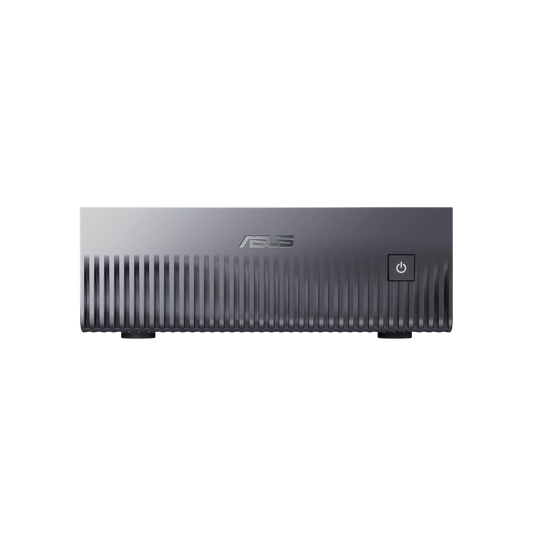
NVIDIA GB10 AI Mini Server — ASUS Ascent GX10
✅ DeepSeek V4 Flash FP16 · Llama 4 Maverick FP16 · Models up to 200B in GGUF
The only desktop form factor capable of loading 200B models — impossible on any consumer GPU. 128 GB unified memory, silent, 15×15 cm. Ideal for a cabinet that wants maximum capacity in an ultra-compact format.
LM Studio pre-installed · Models of your choice downloaded
Configure this server →
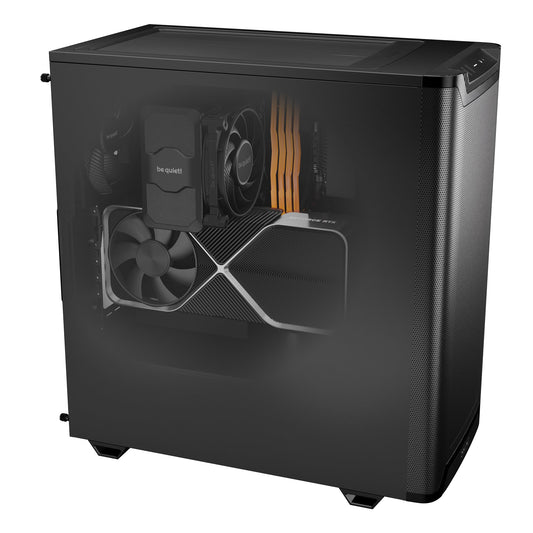
Radiance PC CoreAI 16 — RTX 5060 Ti 16 GB
✅ Qwen 3.5 14B · Mistral Medium 3.5 · Phi-4 14B · Gemma 4 26B QAT
LM Studio Speed: 50-55 tokens/second
The 2026 sweet spot for LM Studio. 16 GB GDDR7 loads 14B models entirely on the GPU — fluid responses, natural conversation. Compact and silent tower, Windows 11 Pro included. The ideal configuration for a professional exploring local AI.
LM Studio + Qwen 3.5 14B + Mistral pre-installed on request
Configure this workstation →
Radiance PC CoreAI 32 — RTX 5070 Ti 16 GB
✅ Gemma 4 26B · Qwen 3.5 32B · Fluid side-by-side comparison · 64K Context
LM Studio Speed: 30-45 tokens/second
The workstation for users who fully leverage LM Studio's comparison feature. 32 GB DDR5 keeps 2-3 models in RAM for instant switching — ideal for researchers testing and comparing.
Ideal for researchers · Multi-model · Intensive use
Configure this workstation →
⭐ Radiance PC CoreAI 64 — RTX 5090 32 GB
✅ Llama 3.3 70B Q4 · Qwen 3.5 72B Q4 · DeepSeek V4 Flash
LM Studio Speed: 15-25 tokens/s on 70B — quality close to GPT-4o
The best consumer PC for LM Studio in 2026. 32 GB GDDR7 for 70B models entirely on the GPU — the closest quality to GPT-4o available locally. The record bandwidth (1,792 GB/s) compensates for LM Studio's application layer.
Llama 3.3 70B + Qwen 3.5 72B pre-downloaded on request
Configure this workstation →
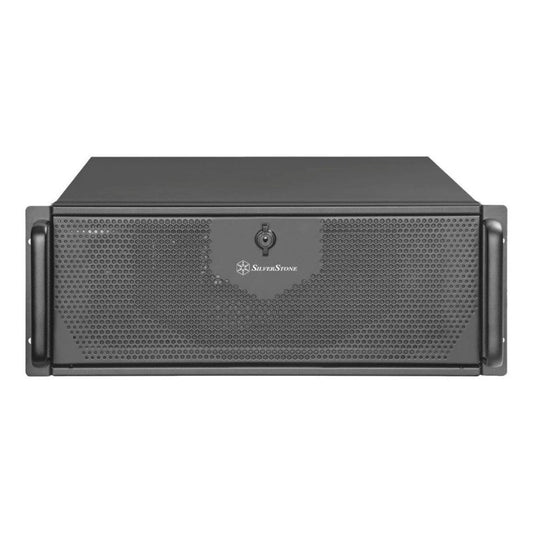
Radiance CoreAI Rack — 2× RTX 5090 (64 GB VRAM)
✅ LM Studio Developer Mode headless · Multi-team shared API · Llama 3.3 70B FP16
For cabinets and teams of 5 to 20 people. LM Studio in Developer Mode 2026.4 launched as a headless server: each collaborator accesses via the local API from their own PC without installing anything. The server centralizes large models.
LM Studio server mode · Team API · 4U Rack
Configure this rack →
CoreAI 128 Rack — 2× RTX 6000 PRO Blackwell (192 GB ECC)
✅ DeepSeek V4 Pro · Kimi K2.6 · All GGUF models in native precision · 24/7 Production
For organizations that want the most powerful local models, in native precision, without quantization. 192 GB ECC VRAM, maximum reliability for 24/7 uninterrupted operation.
On-site installation · Dedicated support · 4U Rack
Configure this rack →Frequently Asked Questions — PCs for LM Studio
Is LM Studio really usable without technical knowledge?
Yes — that's its main advantage. You download LM Studio from lmstudio.ai, install it like any Windows application, search for a model in the integrated browser (automatically filtered based on your VRAM), click Download, then Load, then chat. No command line, no configuration files, no drivers to install manually.
What's the difference between LM Studio and ChatGPT?
ChatGPT runs on OpenAI's servers — your conversations go over the Internet. LM Studio runs the model directly on your PC — no data leaves your machine. LM Studio is also entirely free to use. In 2026, locally available models (Qwen 3.5, Mistral, Llama 4) rival GPT-4o for almost all common professional tasks.
What's the minimum PC for LM Studio?
If you already have a recent PC with a 12 GB+ NVIDIA GPU, LM Studio will work. For a new, dedicated PC, the CoreAI 16 RTX 5060 Ti 16 GB (~€1,700) is the sweet spot — it runs Qwen 3.5 14B at 50-55 tokens/s, sufficient for comfortable and fluid daily professional use.
Can LM Studio be connected to other applications?
Yes. By activating the local server in LM Studio (a button in the interface), you expose an OpenAI-compatible API on localhost:1234. You can then connect: Cursor (AI code editor), Continue.dev (VS Code extension), Obsidian AI (smart notes), Open WebUI (advanced chat interface), or any app supporting a custom OpenAI API — without changing a line of code.
What's the difference between Q4_K_M, Q5_K_M, and Q8?
Q4_K_M is the 2026 standard: ~10 GB for a 14B model, excellent quality, almost imperceptible loss. Q5_K_M offers slightly better quality (~12 GB), preferred if your VRAM allows. Q8_0 is almost identical to native precision but twice as heavy — useful only on 24 GB+ VRAM. In LM Studio, each model is offered in several formats with a clear GPU compatibility indication based on your configuration.
Does LM Studio work on Mac or Linux?
Yes. LM Studio is available on Windows, macOS (Apple Silicon very well supported via Metal), and Linux. On Mac M4 Pro 24 GB, performance is good for 14B-26B models. On Windows and Linux with NVIDIA GPUs, that's where performance is best — CUDA offers the best throughput for GGUF models.
Does LM Studio consume a lot of electricity?
At rest: 30-50 W. In active conversation on a 14B model with RTX 5060 Ti: 200-250 W. On a 70B model with RTX 5090: 550-600 W peak. With 2-3 hours of daily use, your bill increases by €10-20/month — significantly cheaper than a ChatGPT Pro subscription, and without any data sent over the Internet.
Are our PCs delivered with LM Studio already installed?
Yes, upon request. We can deliver your workstation with LM Studio installed, your chosen models already downloaded (Qwen 3.5 14B, Mistral Medium 3.5, or any other depending on your use), and settings adjusted to your profile. You turn on your PC and chat with your AI in less than 2 minutes.