AI Video Generation PC 2026: GPU, VRAM, and Models (Wan, LTX, Hunyuan)
Local AI video generation in 2026 is the most exciting — and demanding — frontier of creative AI. Hunyuan Video 1.5, Wan 2.2, LTX-Video 2.3: these open-source models generate cinematic sequences, character animations, product videos, all on your own GPU — without Runway, without Sora, without a monthly subscription. But unlike image generation, AI video multiplies VRAM requirements by a factor of 3 to 10. This guide will explain exactly why, and what PC you need in 2026.
Why is AI video 5 to 10 times more demanding than image generation?
Generating a 1024×1024 image produces ~1 million pixels. Generating a 5-second video at 24 FPS produces 120 frames × 1 million pixels = 120 million pixels. The GPU must maintain temporal consistency between all these frames simultaneously — this is a fundamentally different and much more demanding problem.
The FP16 VRAM figures for video models are dizzying: HunyuanVideo at 47-58 GB, Wan Video 14B at 54-65 GB. These figures are real — and they concern full native precision. With FP8 quantization and GGUF weights, everything changes:
- HunyuanVideo 1.5 FP16: ~47 GB → FP8: ~8-16 GB depending on resolution
- Wan 2.2 14B FP16: ~54 GB → GGUF Q4: ~6-8 GB at 480p
- LTX-Video 2.3 FP16: ~20 GB → FP8 + tiling: 6-8 GB
The best local AI video generation models — May 2026
LTX-Video 2.3 — The Fastest
The only production-quality model that runs comfortably on 16 GB of VRAM. Version 2.3 (March 2026): re-engineered VAE, 4× wider text connector, native audio generation. Generates a 5s video in ~4 seconds on RTX 5090 — almost real-time. Ideal for rapid iteration.
VRAM: 16 GB (FP8 + tiling) · 24 GB (native FP16)HunyuanVideo 1.5 — Best Human Quality
Dual-stream transformer architecture (Tencent). Best facial quality and identity consistency of all open-source models. Version 1.5: -40% VRAM vs 1.0 while improving quality. Cinematic rendering, realistic bokeh, perfect for characters.
VRAM: 16 GB (FP8 low resolution) · 24 GB (720p comfortable)Wan 2.2 — Best Overall Quality
Apache 2.0 license (free commercial use). Best overall local model in May 2026 according to the community. Available in 1.3B (accessible, 8 GB) and 14B (maximum quality, 16-24 GB). Supports text-to-video and image-to-video. Ideal for production.
VRAM: 8 GB (1.3B GGUF) · 16-24 GB (14B)CogVideoX 5B — Structured Narrative
Zhipu AI. Specialized in precise text instruction following and narrative consistency over long sequences. Generates 6-second clips at 720×480. Lighter than Wan or Hunyuan — a good compromise for 16 GB GPUs without compromising on prompt following.
VRAM: ~8 GB (FP8) · ~16 GB (FP16)Mochi 1 — Free Commercial License
Asymmetric Diffusion Transformer architecture. Clear Apache 2.0 license for commercial integration. Excellent visual realism, robust T5-XXL text encoding. Slower than LTX — preferable for non-time-sensitive production where quality takes precedence over speed.
VRAM: ~19 GB (FP8) · ~42 GB (FP16)AnimateDiff — SDXL Animations
Animates any existing SDXL checkpoint (characters, Pony/Illustrious styles...). Natively integrated into ComfyUI. More limited than dedicated video models (512px, 16 frames) but very accessible and compatible with your existing Stable Diffusion pipeline.
VRAM: ~6-8 GB · 8 GB GPU CompatibleActual VRAM per resolution and model (May 2026)
| Model | 480p (GGUF/FP8) | 720p (FP8) | 720p (FP16) | 1080p | Time/5s clip (RTX 5090) |
|---|---|---|---|---|---|
| LTX-Video 2.3 | 6-8 GB | 16 GB ✅ | 20 GB | 32 GB | ~4s ⚡ near real-time |
| Wan 2.2 1.3B | 4-6 GB ✅ | 8 GB ✅ | 12 GB | 20 GB | ~2-3 min |
| Wan 2.2 14B ⭐ | 6-8 GB ✅ | 16 GB ✅ | 24 GB | 40 GB+ | ~8-12 min |
| HunyuanVideo 1.5 | 8 GB ✅ | 16 GB ✅ | 24 GB | 48 GB+ | ~10-15 min |
| CogVideoX 5B | 8 GB ✅ | 16 GB ✅ | 20 GB | N/A | ~5-8 min |
| Mochi 1 | 16 GB (min) | 19 GB (FP8) | 42 GB | 64 GB+ | ~20-30 min |
| AnimateDiff | 6-8 GB ✅ | N/A (limited 512px) | N/A | N/A | ~1-3 min (16 frames) |
Sources: WillItRunAI (Apr. 2026), LocalAIMaster (Apr. 2026), Spheron Blog (May 2026), TechieHub (May 2026). Times measured with ComfyUI, 50 steps, 5s batches at 24fps. Vary depending on exact configuration and chosen sampler.
What distinguishes AI video from image generation
VRAM is not enough — system RAM also matters
For image generation, 32 GB of system RAM is comfortable. For AI video, text encoders (T5-XXL for HunyuanVideo and Wan) weigh 10-20 GB and are often offloaded to CPU RAM. 64 GB of DDR5 RAM is recommended to avoid disk swapping on video workflows. 128 GB ECC for intensive production.
NVMe Gen 4 SSD — critical for frame cache
Generating a 5s video at 720p produces several GB of temporary frames. A SATA SSD becomes a severe bottleneck for video workflows. NVMe Gen 4 (5,000+ MB/s) minimum. For batch production workflows, an NVMe Gen 5 (12,000 MB/s) significantly reduces post-processing time.
GPU memory bandwidth — even more important than for images
Video generation moves from one frame to the next while maintaining temporal attention state — a massive GPU data transfer. The RTX 5090's memory bandwidth (1,792 GB/s) allows it to generate clips 3 to 4 times faster than older GPUs with the same amount of VRAM. For AI video, bandwidth is even more critical than for image generation.
CPU — more heavily used than for images
Offloading text encoders to the CPU is common in AI video. A slow CPU or one with few cores becomes a real bottleneck, especially for Wan/Hunyuan workflows that use T5-XXL (a massively parallelizable encoder). Ryzen 9 9900X minimum, Ryzen 9 9950X3D recommended.
Recommended software stack for AI video in 2026
- ComfyUI + VideoHelperSuite — benchmark for local AI video. Dedicated nodes for LTX-Video, HunyuanVideo, Wan 2.2. Frame-by-frame preview interface. The most powerful.
- SD.Next — an all-in-one interface more accessible than ComfyUI. Less flexible but a much shorter learning curve. Good option to start.
- Pinokio — one-click installer for AnimateDiff and other video models. Best option for absolute beginners (2-click installation).
- ffmpeg — essential post-processing: frame assembly, temporal interpolation, H.264/H.265/AV1 encoding.
- RealESRGAN + RIFE — 2× upscale and frame interpolation (24fps → 60fps). According to 2026 benchmarks, these two tools double the perceived quality of AI video outputs without generating new frames, at minimal computational cost.
Our workstations configured for AI video generation
Radiance Systems assembles workstations tested under ComfyUI with LTX-Video, Wan 2.2 and HunyuanVideo before delivery. Software stack pre-installed on request. Assembled in Auriol (13390), delivered throughout the EU.

Radiance PC CoreAI 16 — RTX 5060 Ti 16 GB
✅ LTX-Video 2.3 720p (FP8) · Wan 2.2 14B 720p (FP8) · HunyuanVideo 1.5 480p · AnimateDiff
Entry point for AI video. LTX-Video runs at full speed in 720p (FP8) — and with the RealESRGAN trick, your exports reach 1080p. Wan 2.2 14B runs in FP8 at 720p. DDR5 RAM upgrade recommended for Hunyuan workflows (T5-XXL encoder).
DDR5 expandable RAM · NVMe Gen 4 included
Configure this workstation →
Radiance PC CoreAI 32 — RTX 5070 Ti 16 GB
✅ LTX-Video 2.3 720p FP16 · Wan 2.2 14B 720p FP8 · HunyuanVideo 1.5 720p FP8 · ComfyUI multi-model
The versatile workstation for serious AI video creators. 1,280 GB/s bandwidth — generates LTX-Video 2× faster than the RTX 5060 Ti. 32 GB DDR5 handles T5-XXL in RAM without swap. All main models in 720p FP8.
RealESRGAN + RIFE pre-installable · ComfyUI + VideoHelperSuite
Configure this workstation →
⭐ Radiance PC CoreAI 64 — RTX 5090 32 GB
✅ All models in native FP16 · LTX 720p in ~4s · HunyuanVideo 720p FP16 · Wan 14B FP16 · Mochi 1 FP8
The best consumer workstation for AI video in 2026. 32 GB GDDR7 + 1,792 GB/s bandwidth — LTX-Video 2.3 in near real-time, HunyuanVideo and Wan 2.2 14B in native FP16 with no quality compromise. 1080p accessible with upscale, native 720p fluidly. The only consumer GPU that runs Mochi 1 in FP8.
Full AI video stack pre-installed on request
Configure this workstation →
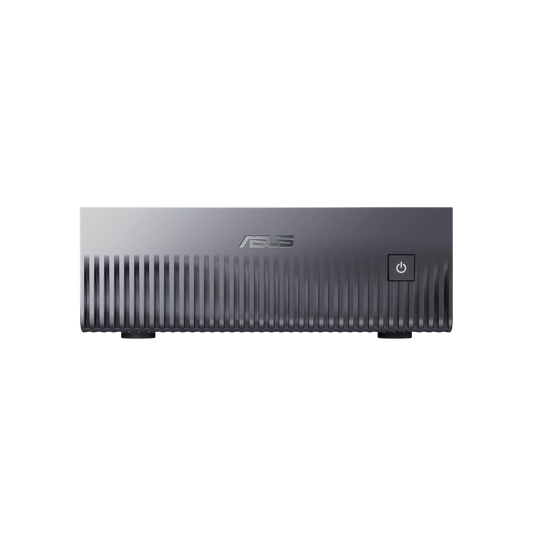
NVIDIA GB10 Mini AI Server — ASUS Ascent GX10
✅ All video models in native FP16 · Mochi 1 FP16 · HunyuanVideo 1.5 FP16 · Wan 2.2 14B FP16 · 10s+ sequences without VRAM limit
The most powerful desktop AI video server available. 128 GB of unified memory allows generating long sequences (10-30s) without any VRAM constraints, all models in native precision. Silent, compact, 240 W — perfect as a dedicated render server in a creative studio.
Dedicated AI video server · Automated batch pipeline
Configure this server →
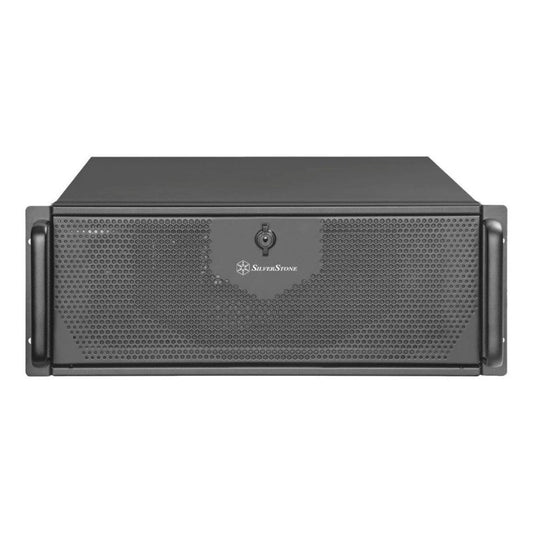
Radiance CoreAI Rack — 2× RTX 5090 (64 GB VRAM)
✅ 2 parallel video pipelines · Simultaneous HunyuanVideo 1.5 FP16 · Mochi 1 FP16 · High-throughput batch
For video production studios and agencies. Two independent RTX 5090 GPUs: one pipeline generates while the other post-processes. Production rate 5 to 10× higher than a single-GPU setup. Ideal for teams delivering large volumes.
Studio production · 2 parallel pipelines · 4U Rack
Configure this rack →
CoreAI 128 Rack — 2× RTX 6000 PRO Blackwell (192 GB ECC)
✅ Native 1080p FP16 · 30s+ sequences · Video model fine-tuning · 24/7 uninterrupted production
For VFX studios and production agencies working in native 1080p on long sequences. 192 GB ECC VRAM allows generating complex scenes without any restrictions, fine-tuning video models, and continuous production without risk of instability.
VFX Studios · 1080p FP16 · 24/7 Production
Configure this rack →Which AI Video PC for your profile?
| Profile | Configuration | Target Models | Budget |
|---|---|---|---|
| Discovery / Hobbyist | CoreAI 16 RTX 5060 Ti 16 GB | LTX-Video 720p · Wan 2.2 1.3B · AnimateDiff | ~€1,700 |
| Content Creator | CoreAI 32 RTX 5070 Ti | Wan 2.2 14B · HunyuanVideo 720p FP8 | ~€2,400 |
| Pro / Freelancer ⭐ | CoreAI 64 RTX 5090 32 GB | All FP16 models · LTX real-time · Native 720p | ~€6,000 |
| Dedicated Desktop AI Server | ASUS Ascent GX10 (GB10) | All models · Long sequences · 128 GB | ~€4,000 |
| Studio / Agency | Rack 2× RTX 5090 | Parallel pipelines · High-throughput batch | ~€11,000 |
| VFX Studio / 24/7 Production | Rack 2× RTX 6000 ECC | 1080p FP16 · 30s+ sequences · Fine-tuning | ~€28,000 |
Frequently Asked Questions — AI Video Generation PCs
What is the minimum GPU for AI video generation in 2026?
16 GB of VRAM is the practical minimum for serious AI video in 2026. With 8 GB, Wan 2.2 1.3B in GGUF at 480p works, but quality and resolution are very limited. LTX-Video 2.3 in FP8 starts at 16 GB at 720p — this is the recommended entry point for regular use. For good quality HunyuanVideo 1.5 and Wan 2.2 14B, aim for 24-32 GB.
How long does it take to generate a 5-second video?
On RTX 5090 32 GB: LTX-Video 2.3 in ~4 seconds (near real-time), Wan 2.2 14B FP8 in 8-12 minutes, HunyuanVideo 1.5 FP8 in 10-15 minutes. On RTX 5060 Ti 16 GB: LTX-Video in 15-20 seconds, Wan 2.2 14B FP8 in 25-40 minutes. Memory bandwidth is the determining factor — the RTX 5090 (1,792 GB/s) is 2.7× faster than the RTX 5060 Ti (672 GB/s).
What is the maximum resolution on consumer GPUs?
On RTX 5060 Ti 16 GB: 720p native FP8, 1080p with 4× RealESRGAN upscale. On RTX 5090 32 GB: 720p native FP16 for all models, 1080p directly on LTX-Video with tiling. The strategy "generate in 480p/720p + 4× RealESRGAN upscale" is the community standard for achieving 1080p/4K on consumer GPUs.
Can image and AI video generation be combined on the same machine?
Yes — this is even one of the great advantages of a versatile workstation. ComfyUI handles both natively. A typical workflow: generate a character with Flux Dev (image), then animate it with HunyuanVideo (video). With 32 GB of VRAM (RTX 5090), both models can remain loaded simultaneously. On 16 GB, ComfyUI unloads and reloads as needed.
LTX-Video, Wan, or HunyuanVideo — which to choose?
LTX-Video 2.3 if you want speed and rapid iteration — near real-time on RTX 5090. Wan 2.2 14B if you want the best overall quality on a 16-24 GB GPU, with commercial freedom (Apache 2.0). HunyuanVideo 1.5 if you generate characters or faces — it's the model with the best human rendering. In practice, serious creators use all three depending on the task.
Windows or Linux for AI video?
Linux (Ubuntu 24.04) offers the best performance and maximum compatibility (Flash Attention, native CUDA 12.8+). Windows 11 works very well with ComfyUI and is easier to manage day-to-day. The NVIDIA GB10 (ASUS Ascent GX10) is Linux only. For a personal workstation, Windows 11 is perfectly suitable. Our workstations come with the OS of your choice.
Can video models (Wan, LTX, etc.) be fine-tuned?
Yes, it's possible but very demanding. LoRA fine-tuning on LTX-Video requires ~24 GB of VRAM minimum. For Wan 2.2 14B or HunyuanVideo, expect 32-48 GB. Rack configurations (2× RTX 5090 or 2× RTX 6000 ECC) are the only ones realistically suited for serious video fine-tuning on local hardware.