PC for ComfyUI 2026: GPU, VRAM, and Workflow Guide
ComfyUI has become the go-to interface for AI image generation in 2026. Nodal architecture, efficient memory management, native support for Flux, SD 3.5, Qwen Image, AI video (Hunyuan, LTX-Video), audio (StableAudio) — it's the tool all the pros use. But ComfyUI is also demanding and finicky: multi-model workflows, hundreds of custom nodes, stacked ControlNets, TensorRT... What PC do you really need to get the most out of it? This guide gives you the precise answer, model by model, with real benchmarks.
Why ComfyUI became THE standard in 2026?
In 2024, Automatic1111 (A1111) dominated. In 2026, ComfyUI took its place for four reasons:
- Nodal architecture. You visually build your pipeline: model loading nodes, conditioning, sampler, VAE decode, etc. You see exactly what's happening at each step — and you can modify everything.
- Efficient memory management. ComfyUI loads and unloads components on demand. A 12GB GPU can run workflows that crash in A1111 or Forge.
- Support for new models in days. Flux, SD 3.5, Qwen Image, Hunyuan Video — all natively supported days after their release. A1111 often takes months.
- Huge custom node ecosystem. ComfyUI Manager provides access to over 2,000 community extensions as of May 2026 — ControlNet Aux, IPAdapter, AnimateDiff, ComfyRoll, Impact Pack, WAS Suite, and many more.
ComfyUI's real hardware needs in 2026
ComfyUI has a reputation for being "VRAM efficient." This is true for simple generation. False as soon as you stack things up: adding a ControlNet (+2 GB), an IPAdapter (+2 GB), a refiner (+5 GB), a LoRA (+200 MB each), an upscaler (+3 GB)... you quickly reach 20 GB even on a basic SDXL model.
Here are the real needs by workflow type in May 2026:
Simple SDXL Generation
Basic text→image workflow with SDXL checkpoint, sampler, VAE decode. No extras.
VRAM: 8 GB is enoughSDXL + Refiner + 1 ControlNet
Classic pro pipeline: SDXL base → refiner → ControlNet pose or depth. Standard illustration setup.
VRAM: 12-16 GBFlux Dev FP8 + ControlNet
The default 2026 workflow. Flux Dev quantized FP8 (~13 GB) + ControlNet (Union or Canny).
VRAM: 16 GB (tight) / 20 GB (comfortable)SDXL + IPAdapter + ControlNet + LoRA stack
Pro illustration workflow: style transfer (IPAdapter), pose (ControlNet), 2-3 stacked LoRAs, upscale.
VRAM: 16-24 GBAnimateDiff / AI Video (LTX-Video, Hunyuan)
Generation of short video sequences. Hunyuan Video and LTX-Video are very VRAM-intensive per frame × number of frames.
VRAM: 24 GB minimum, 32 GB comfortableParallel Multi-model (SDXL + Flux + Qwen)
Advanced comparative workflows or production pipelines that chain several different models without unloading.
VRAM: 32 GB or dual-GPUFlux LoRA training (via ComfyUI nodes)
Training Flux LoRAs directly from ComfyUI via custom nodes (Kohya, AI Toolkit). Very demanding.
VRAM: 24 GB minimum, 32 GB comfortableProduction studio batch + API server
ComfyUI in server mode (REST API), batches of 10-50 Flux images, parallel queues.
VRAM: 32 GB or multi-GPUMinimum recommended VRAM for ComfyUI in 2026
| ComfyUI Usage | Minimum VRAM | Comfortable VRAM | GPU type |
|---|---|---|---|
| Discovery / Simple SDXL | 8 GB | 12 GB | RTX 5060 12 GB |
| Standard Pro Workflow ⭐ | 16 GB | 16 GB | RTX 5060 Ti / 5070 Ti 16 GB |
| Flux FP16 / IPAdapter stack | 16 GB (tight) | 24 GB | RTX 4090 24 GB |
| AI Video + LoRA training | 24 GB | 32 GB | RTX 5090 32 GB |
| Production studio multi-GPU | 2× 32 GB | 2× 96 GB ECC | Rack 2× RTX 5090 or 2× RTX 6000 Pro |
Beyond VRAM: What matters for ComfyUI
System RAM — 32 GB minimum, 64 GB recommended
ComfyUI swaps models between VRAM and system RAM when VRAM is insufficient. With 32 GB DDR5, you keep 2-3 checkpoints loaded in RAM for instant switching. With 64 GB, you load your entire library (SDXL base + refiner + Flux + 5 LoRAs + 3 ControlNets) into memory — no disk reloading between generations.
NVMe SSD Gen 4 or Gen 5 — critical
Each checkpoint switch = disk read. A Flux Dev weighs 24 GB, an SDXL 7 GB, a ControlNet 2-5 GB. On Gen 4 SSD (5,000 MB/s), the initial loading of a Flux + IPAdapter + ControlNet workflow takes ~8 seconds. On Gen 5 (12,000+ MB/s), it's 3 seconds. On SATA SSD, 30+ seconds. Plan for a minimum 2 TB NVMe Gen 4 to avoid managing an external library.
CPU — less critical than you think
ComfyUI inference is ~95% GPU. The CPU is used for pre-processing (model loading, JSON workflow parsing, PIL post-processing). A recent Ryzen 5 is sufficient. For complex workflows with dozens of nodes or real-time pipelines, a Ryzen 7 or 9 offers marginal comfort.
GPU bandwidth — the hidden optimization
For ComfyUI, GPU memory bandwidth matters almost as much as VRAM. An RTX 5090 (1,792 GB/s) is 2.7× faster than an RTX 5060 Ti 16 GB (672 GB/s) on Flux, even when the model fits on both cards. This is why the RTX 4060 Ti 16 GB (288 GB/s) remains a trap despite its decent VRAM.
ComfyUI Optimizations 2026 — gain 30-60% speed
A few launch flags and extensions transform your ComfyUI setup:
# Optimized ComfyUI launch Blackwell (RTX 50xx):
python main.py \
  --use-pytorch-cross-attention \
  --fast \
  --highvram \
  --enable-cors-header

# Useful environment variables:
export PYTORCH_CUDA_ALLOC_CONF=expandable_segments:True
export CUDA_LAUNCH_BLOCKING=0
export TORCHINDUCTOR_CACHE_DIR=/path/ssd/cache
-
TensorRT compilation via
ComfyUI-TensorRT: +30-60% speed on repetitive workflows. First generation is slow (compilation), subsequent ones are ultra-fast. - FP8 / GGUF quantization: Flux in FP8 = -50% VRAM, almost identical quality. GGUF Q4/Q6 = even less VRAM for 12 GB configs.
- Flash Attention 2: 15-25% VRAM savings on supported architectures (Blackwell, Ada Lovelace).
- Tiled VAE in VAE Decode: enables 4K even on 16 GB.
- ComfyUI-Crystools: real-time GPU/VRAM monitoring in the interface — essential for optimizing workflows.
- RAM disk for models: if you have 128 GB RAM, mapping a RAM disk for checkpoints provides instant switches.
Essential ComfyUI custom nodes in 2026
| Custom Node | Utility | VRAM Impact |
|---|---|---|
| ComfyUI Manager | Install/Update custom nodes in 1 click | None |
| ComfyUI-Impact-Pack | Face/Hand detailer, segmentation, regional prompt | +1-3 GB |
| ComfyUI_IPAdapter_plus | Style transfer from source image | +1-2 GB |
| ComfyUI-AnimateDiff-Evolved | Animation of sequences from still images | +4-8 GB |
| comfyui_controlnet_aux | ControlNet pre-processors (depth, pose, canny, lineart) | +0.5-2 GB |
| ComfyUI-WAS-Suite | 200+ utility nodes (text, masks, math) | Negligible |
| ComfyUI-TensorRT | TensorRT compilation = +30-60% speed | +2-4 GB during compilation |
| ComfyUI-Crystools | Real-time GPU/CPU/RAM monitoring | Negligible |
| ComfyUI-HunyuanVideoWrapper | Hunyuan video generation | +12-20 GB |
| ComfyUI-LTXVideo | LTX video generation (faster than Hunyuan) | +8-14 GB |
Quick optimized ComfyUI installation on your PC
# 1. Clone ComfyUI
git clone https://github.com/comfyanonymous/ComfyUI
cd ComfyUI

# 2. Create Python 3.12 venv
python -m venv venv
source venv/bin/activate    # Linux/Mac
# .\venv\Scripts\activate   # Windows

# 3. PyTorch with CUDA 12.8 (RTX 50xx Blackwell)
pip install torch torchvision torchaudio \
  --index-url https://download.pytorch.org/whl/cu128

# 4. ComfyUI dependencies
pip install -r requirements.txt

# 5. Install ComfyUI Manager (essential)
cd custom_nodes
git clone https://github.com/ltdrdata/ComfyUI-Manager
cd ..

# 6. Download a base model (Flux Dev FP8)
# https://huggingface.co/Comfy-Org/flux1-dev
# Place the .safetensors in ComfyUI/models/diffusion_models/

# 7. Launch optimized ComfyUI
python main.py --use-pytorch-cross-attention --fast --highvram
Our ComfyUI Optimized PCs — Pre-configured and Ready to Generate
Radiance Systems designs workstations specifically tested with ComfyUI. Upon request, we deliver your PC with ComfyUI installed, configured (PyTorch CUDA, Manager, essential custom nodes), and your chosen models downloaded — Flux Dev, SDXL, ControlNets, IPAdapter. You start up, you generate your first image in less than 2 minutes.

Radiance PC CoreAI 16 — RTX 5060 Ti 16 GB
✅ SDXL + Refiner Workflows · Flux Dev FP8 · ControlNet · IPAdapter · Light LoRA stack
Ideal entry point for serious ComfyUI in 2026. 16 GB GDDR7 — the minimum for standard pro workflows. AM5 DDR5 platform for fast model switching. Scalable: GPU upgrade possible later without changing platforms.
ComfyUI + Manager + Flux Dev FP8 pre-installed upon request
Configure this workstation →
Radiance PC CoreAI 32 — RTX 5070 Ti 16 GB
✅ Full Pro Workflow · Multi-ControlNet · IPAdapter stack · TensorRT · AnimateDiff
The versatile workstation for illustrators and creators who stack nodes. 1.9× higher bandwidth for smooth generations in complex workflows. 32 GB DDR5 allows Flux + SDXL + 5 LoRAs + 3 ControlNets to be kept in memory simultaneously.
TensorRT pre-configured · Essential custom nodes installed
Configure this workstation →
⭐ Radiance PC CoreAI 64 — RTX 5090 32 GB
✅ All ComfyUI workflows · AI Video (LTX, Hunyuan) · Flux LoRA training · Simultaneous multi-model
The best consumer workstation for ComfyUI in 2026. 32 GB GDDR7 allows all components to be loaded simultaneously — no unloading between nodes. Record bandwidth (1,792 GB/s) for workflows 3-5× faster than an RTX 5070 Ti. AI video, Flux LoRA training, Flux Dev FP16 batches — everything is accessible.
Complete ComfyUI library pre-installed upon request
Configure this workstation →
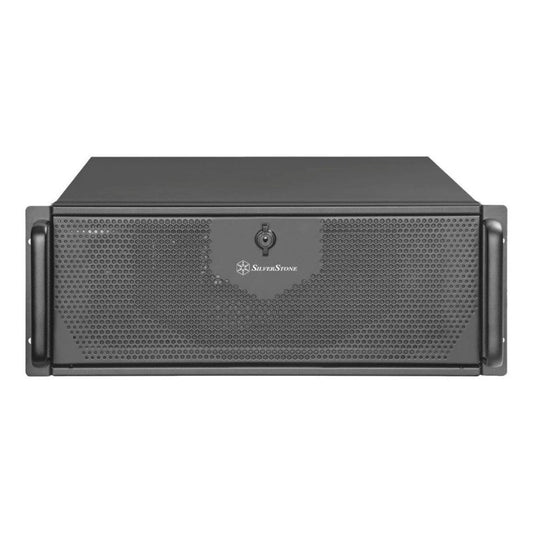
Radiance CoreAI Rack — 2× RTX 5090 (64 GB VRAM)
✅ ComfyUI multi-tenant server · Parallel pipelines · Batch production · Long AI video
For studios and creative agencies doing high-volume production. 2× independent RTX 5090s via ComfyUI server mode: one GPU dedicated to the current generation, the other to pre-rendering the next batch or training LoRAs. Ideal for teams of 3-10 creatives.
ComfyUI server API · Multi-tenant · 4U Rack
Configure this rack →
CoreAI 128 Rack — 2× RTX 6000 PRO Blackwell (192 GB ECC)
✅ Long duration AI video · Fine-tuning base models · Flux 2 9B batches · 24/7 Production
The ultimate workstation for pro studios doing long AI video (Hunyuan 30+ seconds), full fine-tuning of models, or 24/7 production. 192 GB ECC VRAM allows multiple complete models to be loaded simultaneously and massive batches to be generated without any memory constraints.
Pro Studios · Long AI Video · Continuous Production
Configure this rack →
Radiance PC Pro AI Ultra Threadripper
✅ AI Research · Custom Node Development · HPC Pipelines · Heavy Fine-tuning
For VFX studios, researchers, and AI agencies developing their own custom nodes or advanced pipelines. Scalable Threadripper PRO sTR5 platform up to 96 cores and 2 TB ECC RAM. The long-term machine for 5+ years to never be limited.
Custom · Personalized Quote · On-site Installation
Request a quote →Frequently Asked Questions — PCs for ComfyUI
Is ComfyUI more demanding than Automatic1111?
No, it's actually the opposite for simple generation. ComfyUI manages memory better and can run Flux on 12 GB where A1111 would crash. But as soon as you stack custom nodes and complex workflows (multi-ControlNet, IPAdapter, AnimateDiff…), ComfyUI can consume more than A1111 for the same task because it loads everything into memory to optimize speed.
How much VRAM to run ComfyUI smoothly?
16 GB is the practical minimum in 2026 for pro workflows (SDXL + Refiner + ControlNet + LoRA stack). 24 GB offers comfort for Flux FP16 and complex pipelines. 32 GB (RTX 5090) or more is necessary for AI video, Flux LoRA training, or studio production.
What is the difference between ComfyUI and Forge UI?
ComfyUI is nodal (visual graph of nodes) — steeper learning curve but total flexibility, ideal for professionals. Forge UI is a fork of A1111 — classic interface, simpler to learn, good VRAM management. For 2026, ComfyUI is the recommended choice because it supports all new models first and its ecosystem of custom nodes is unrivaled.
Can ComfyUI be used on AMD GPU or Mac?
Yes, technically, via ROCm for AMD or MPS for Apple Silicon. In practice, many custom nodes (TensorRT, certain ControlNets, advanced IPAdapter, training nodes) are NVIDIA-only or very limited. For a dedicated ComfyUI PC in 2026, NVIDIA is still highly recommended — especially RTX 50xx (Blackwell) which have the best PyTorch and TensorRT support.
Can a ComfyUI server be run on a network for multiple users?
Yes. ComfyUI can be launched in server mode with a REST API accessible on the local network or via Cloudflare Tunnel. Multiple users can submit workflows to a queue. For 3-10 simultaneous users, the 2× RTX 5090 Rack or the 2× RTX 6000 ECC Rack are the ideal configurations — each GPU can handle a separate queue.
Is TensorRT really worth it for ComfyUI?
Yes for repetitive workflows (batch production, API server). Compilation takes 5-15 minutes per model/resolution but subsequent generations are 30-60% faster. Disadvantage: each model+resolution combination must be compiled separately, and the result is not portable between GPUs. For occasional experimentation, TensorRT is unnecessary.
What power supply for ComfyUI with an RTX 5090?
1,200 W 80+ Gold minimum. The RTX 5090 consumes up to 575 W peak, the Ryzen 9 9950X3D around 170 W, plus other components. Allow 30-40% margin for power supply longevity and simultaneous peak consumption. For dual-GPU, 2,000 W Platinum.
Linux or Windows for ComfyUI?
Linux (Ubuntu 24.04) offers the best raw performance, optimal CUDA support, and maximum compatibility with the most advanced custom nodes. Windows 11 works very well and is simpler for non-developers. WSL2 on Windows 11 offers an excellent compromise. Our workstations are delivered with the OS of your choice and ComfyUI pre-configured.